Resources Websites & Hosting
Who Hosts My Website? How to Find Out
Find the company that keeps your website online, even if the person who set it up has moved on.
RedFlame DigitalLast checked
Quick answer
Your web host is the company whose servers store your website. Type your web address into a free hosting lookup tool, or check your invoices and card statements for a hosting charge. If the tool says Cloudflare, that is usually a protective layer in front of your site, not your host.
Before you start
- Time
- About 10 minutes
- What you need
- Your website address, plus access to your business email and card statements
How do I look up my host with a free tool?
Use the free nslookup.io checker. It needs no account.
- Open the nslookup.io Website Hosting Checker.
- Type your web address, such as yourbusiness.com, into the search box under Website Hosting Checker.
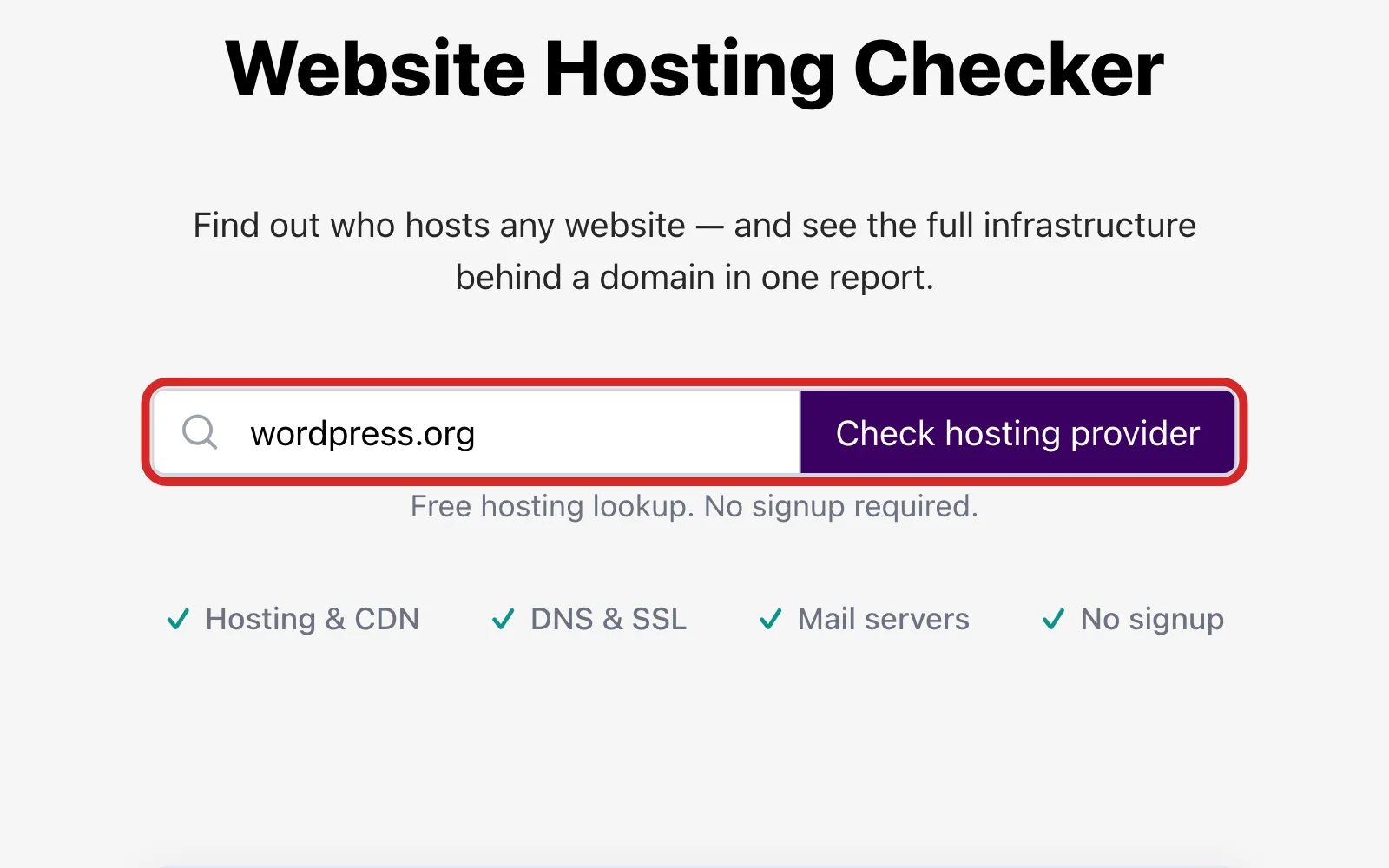
- Choose Check hosting provider.
- Under Hosting in the report, read the Provider line. That is the company running the server that answers for your site.
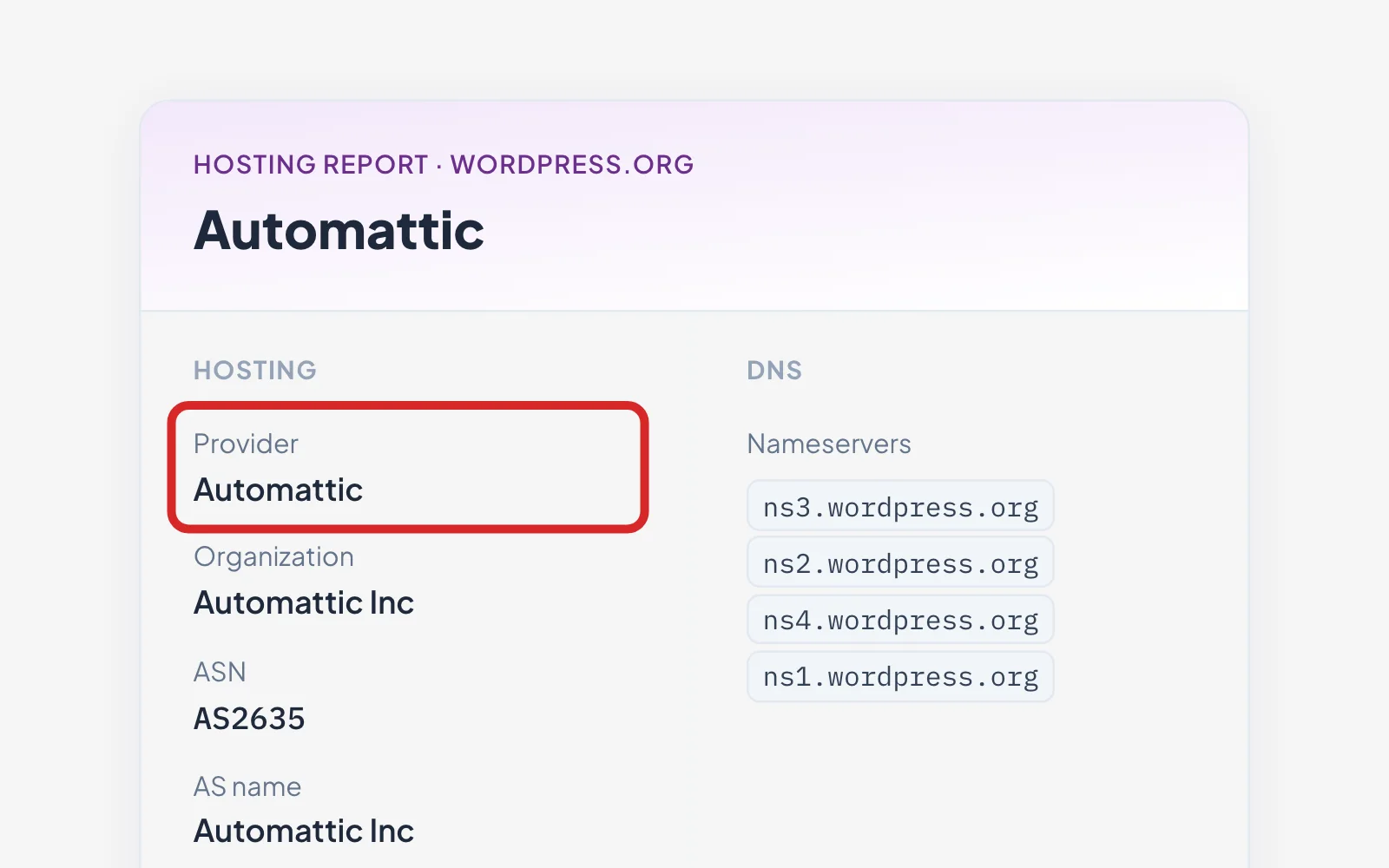
For a second opinion, use the iplocation.net hosting lookup and choose Run Tool.
What the other lines in the report mean
| Line in the report | What it means for you |
|---|---|
| Reverse DNS | The server's own name. It can show a brand you recognize when the Provider line names a company you don't. |
| DNS provider and Nameservers | The company that manages your domain's address records. It can be different from your host. |
| CDN / proxy | A service sitting in front of your site, such as Cloudflare. See the next section. |
| Email provider and Mail servers | The company that handles email for your domain. It can be different from your web host. |
Why does the result say Cloudflare instead of my host?
Cloudflare can sit in front of a website. When it is switched on, public lookups see Cloudflare's addresses, not your real server's, so your host is hidden behind it. Akamai, Fastly and CloudFront can do the same.
To find the real host, ask whoever has the Cloudflare login. The real server address is in the DNS records in that account, and whoever set it up can tell you which host it belongs to.
Check your invoices and card statements
Hosting is a paid service, so the charge should show up somewhere.
- Search your business email for the words "hosting", "renewal" and "invoice".
- Look through card and bank statements for a charge from a hosting company.
- Ask your web designer or agency which host they use, if they bill you for hosting.
Who should I ask if I still can't tell?
Start with whoever built or last changed your website.
- Your current or past web designer or agency
- The person who pays your business's bills or holds the company card
- Your IT person or office manager, if you have one
Once you know the host, write down the company name, whose email the account is under and when it renews. Keep that note where your team can find it.
Frequently Asked Questions
Can I find out who hosts my website for free?
Yes. The nslookup.io and iplocation.net hosting lookups are both free, with no sign-up for the basic check.
How accurate are hosting lookup tools?
They are a good first answer, not a final one. The iplocation.net tool labels its answer the likely hosting provider. If a service like Cloudflare sits in front of your site, the tool shows that service instead.
What is the difference between web hosting and DNS hosting?
Web hosting is where your website is served from. DNS hosting is where your domain's address records are managed. They can be two different companies, which is why a lookup can show two names.
Keep going
Related Guides
Domains
Who Is My Domain Registrar? How to Find Out
Last checked
Find out where your domain name is registered, read the result, and get the account into your business's hands.
Read the guideDomains
Domain vs Hosting: What's the Difference?
Last checked
Learn what your domain and your hosting each do, how they connect, and what happens if either one isn't renewed.
Read the guideGiving Access
How to Add a User to WordPress
Last checked
Give your agency or a new team member their own WordPress login in about five minutes.
Read the guide
Questions About Your Website?
If you have found your host and want help with the site, see our web design service or get in touch.
Sources
Steps last checked against these pages on .
- nslookup.io: Website Hosting Checker (checked Nov 12, 2026)
- IPLocation.net: Who Is Hosting This Website? (checked Nov 12, 2026)
- Cloudflare docs: How Cloudflare DNS works (checked Nov 12, 2026)
- Cloudflare docs: Proxy status (checked Nov 12, 2026)
- WPBeginner: How to Find Out Who is Hosting a Certain Website (checked Nov 12, 2026)