Resources Giving Access
How to Add a Manager to Google Business Profile
Let your agency or a team member help run your Google Business Profile, while you stay the owner.
RedFlame DigitalLast checked
Quick answer
Signed in as an owner, open your Business Profile and select More, then Business Profile settings, then People and access. Select Add, enter their email address, choose Manager under Access, and select Invite.
Before you start
- Time
- About 5 minutes
- What you need
- An owner login to your Google Business Profile, and the email address your agency gave you
- Access level to give
- Manager
Why Manager? Your agency asks for Manager because managers can do almost everything an owner can, but can't add or remove users or remove the profile. You keep the final say on access.
How do you add a manager to your Google Business Profile?
Only an owner can invite people, from the People and access page. The person needs their own Google Account.
- Sign in to Google with the account that owns your Business Profile.
- Go to business.google.com to open your profile.
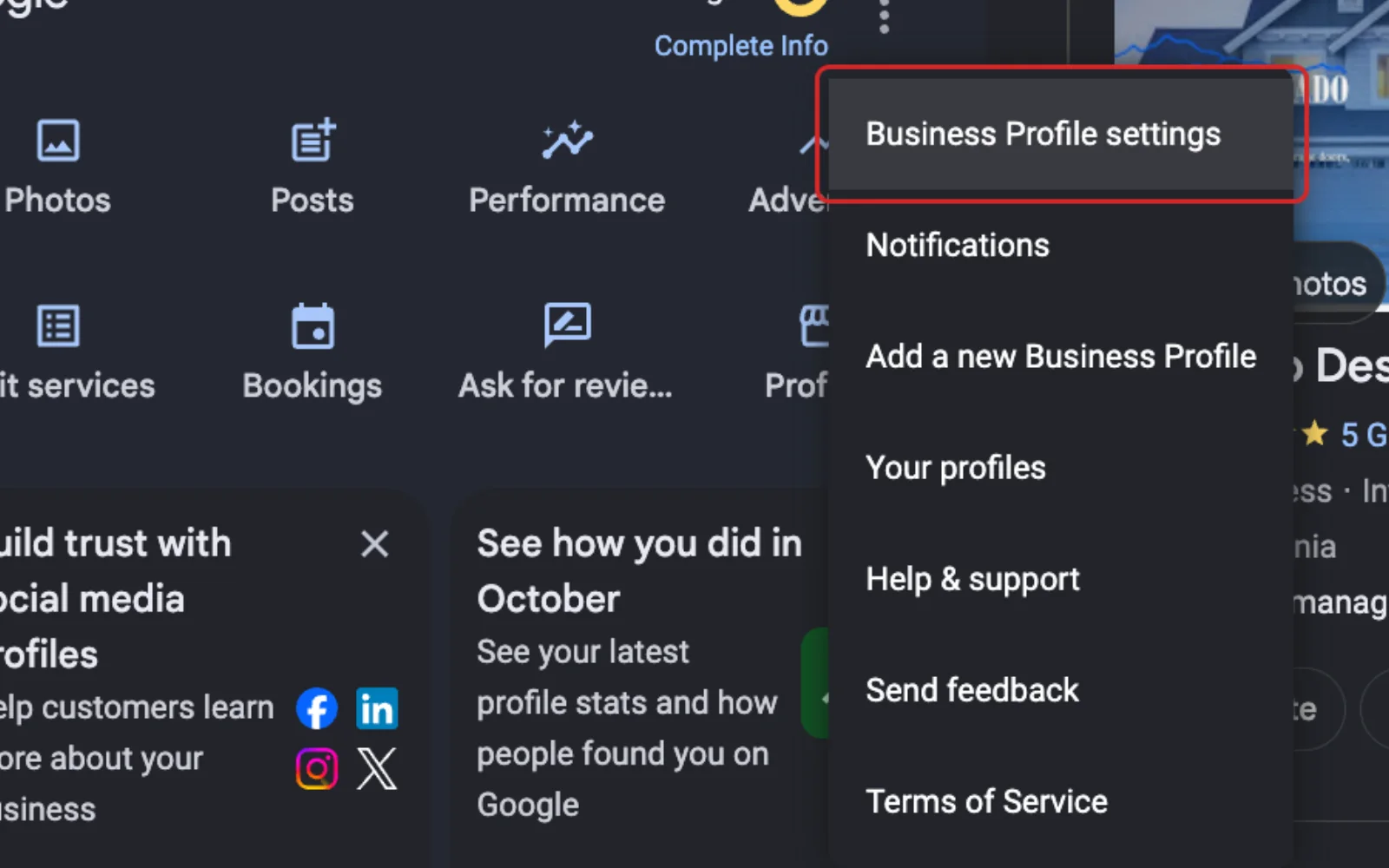
- Select More, then Business Profile settings.
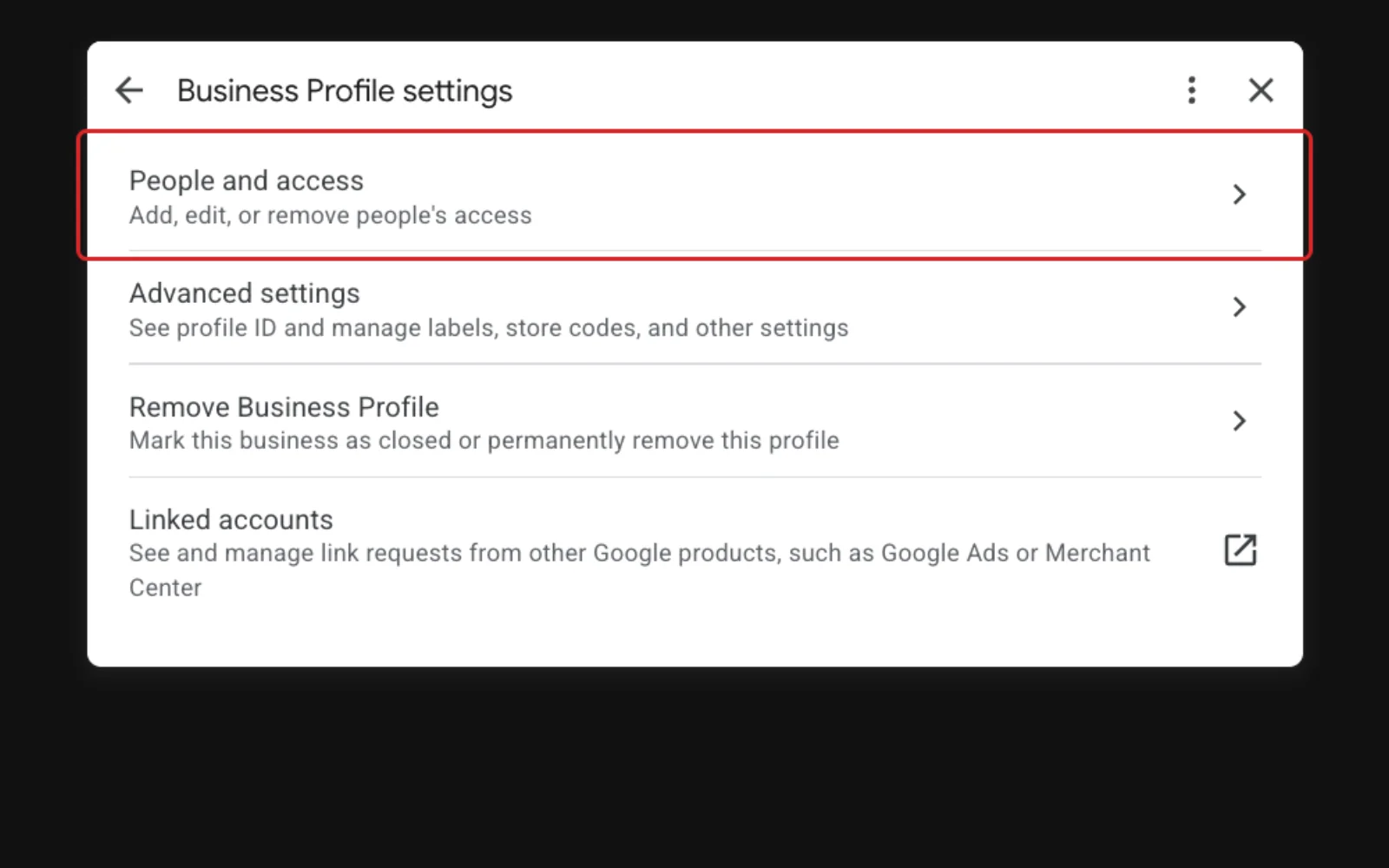
- Select People and access.
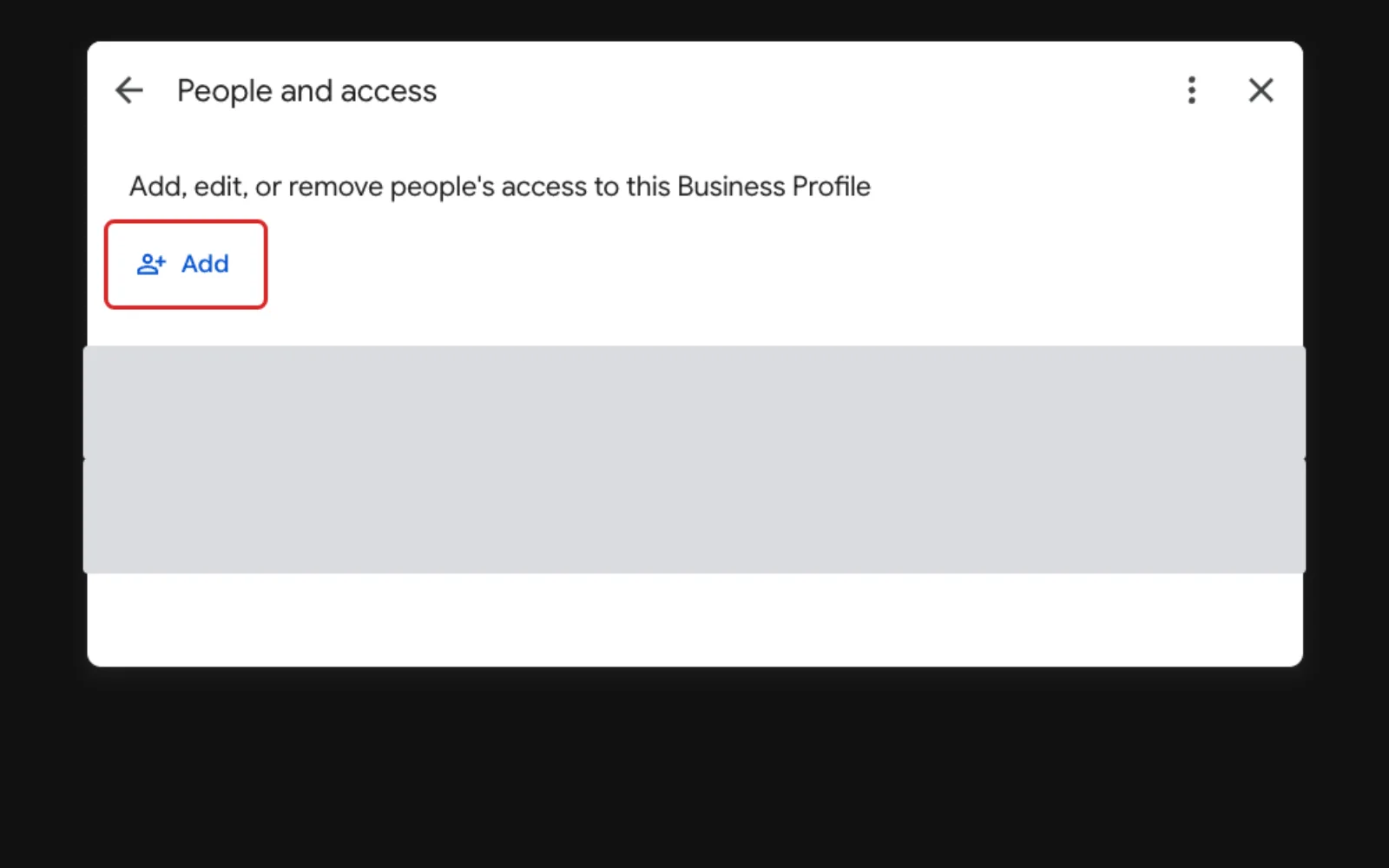
- At the top left, select Add.
- Type the email address your agency gave you.
- Under Access, select Manager.
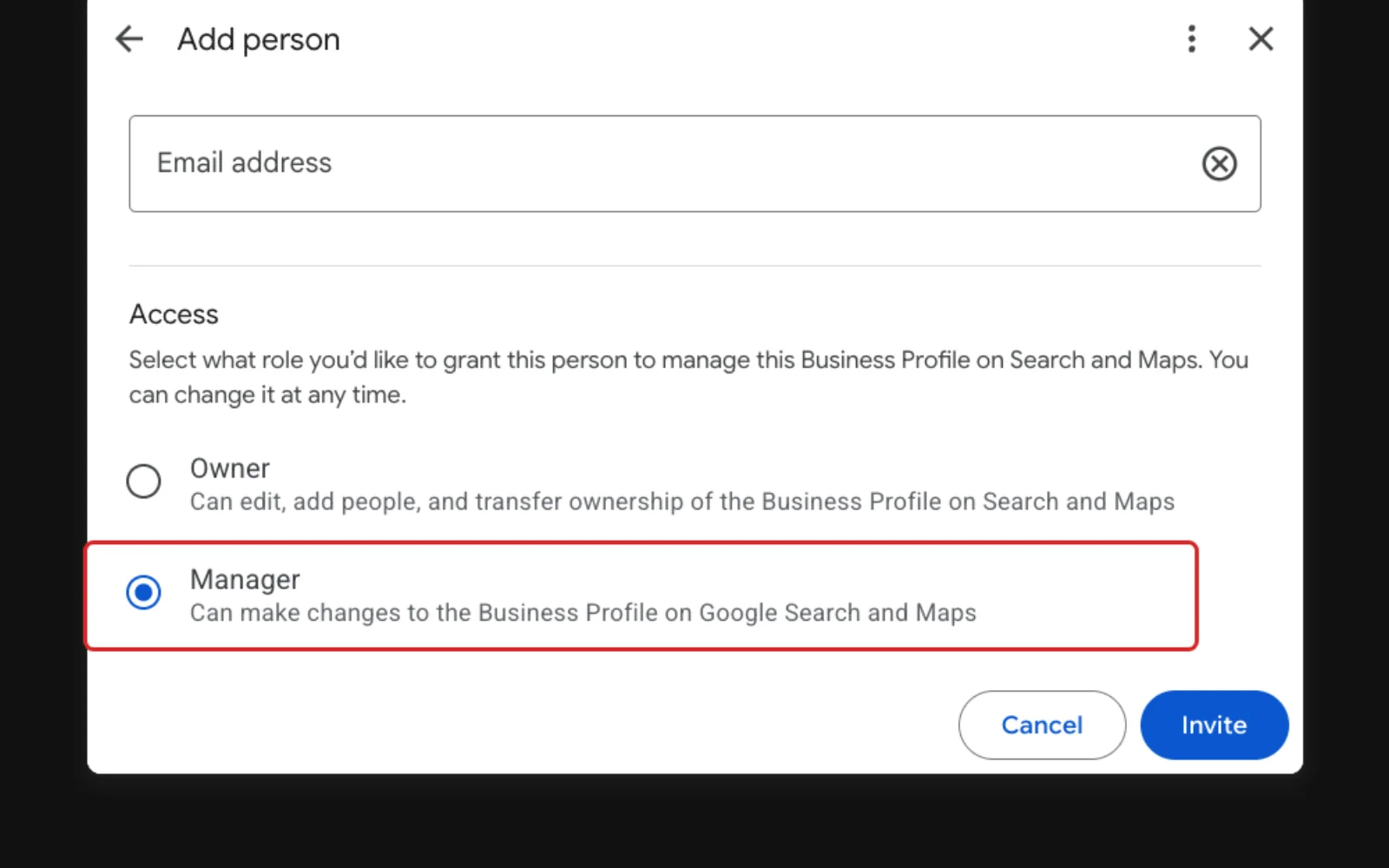
- Select Invite.
Should you make them an Owner or a Manager?
Choose Manager for an agency or staff member.
| Access | What it can do |
|---|---|
| Owner | Full control, including adding and removing people and removing the profile |
| Manager | Almost everything an owner can, but can't add or remove users or remove the profile |
How do you remove a manager later?
An owner removes people from the same People and access page. The person gets an email saying they were removed.
- Select More, then Business Profile settings, then People and access.
- Select the person you want to remove.
- Select Remove person.
What if someone else controls your Business Profile?
Ask Google to move it to you. Go to business.google.com/add, find your business, and select Request Access. Fill in the form and select Submit.
The current owner gets an email and has three days to reply. If they don't, you may be able to claim the profile yourself. Google's page on requesting ownership of a Business Profile has the full steps, including a different route for businesses with no shop or office.
Frequently Asked Questions
Can a manager add other managers?
No. Only owners can add or remove people. A manager can only remove themselves.
What happens to posts and review replies when I remove someone?
They stay on your profile. Removing a person takes away their access, not the work they did.
How do I change the primary owner?
Hand the role to another owner or manager on the profile. A new owner or manager has to wait seven days first. Google's page on transferring primary ownership has the steps.
Keep going
Related Guides
Giving Access
How to Add a User to Google Analytics
Last checked
Give your agency or a team member their own access to your Google Analytics data, without sharing your password.
Read the guideGiving Access
How to Add a User to Google Search Console
Last checked
Give your agency access to your Search Console data in a few minutes, without sharing your Google password.
Read the guide
Questions About Your Website?
If your website needs work to match your Business Profile, see our web design page or get in touch.
Sources
Steps last checked against these pages on .
- Google Business Profile Help: Manage your Business Profile owners & managers (checked Nov 12, 2026)
- Google Business Profile Help: Find your business on Google (checked Nov 12, 2026)
- Google Business Profile Help: Request ownership of a Business Profile (checked Nov 12, 2026)
- Google Business Profile Help: Transfer primary ownership of a Business Profile (checked Nov 12, 2026)