Resources Giving Access
How to Add a User to Google Search Console
Give your agency access to your Search Console data in a few minutes, without sharing your Google password.
RedFlame DigitalLast checked
Quick answer
In Search Console, open your website's property, go to Settings > Users and permissions and click Add user. Enter their email address, choose Owner for an agency, and save.
Before you start
- Time
- About 5 minutes
- What you need
- Owner access to your website in Google Search Console, and the email address your agency gave you
- Access level to give
- Owner
Why Owner? Your agency asks for Owner because only owners can add users, link Google Analytics and use the Change of Address tool when your site moves to a new domain.
How do you add a user to Google Search Console?
Only owners see the Users and permissions page, so only an owner can add people.
- Go to Google Search Console and sign in.
- Choose your website from the property menu.
- Click Settings.
- Click Users and permissions.
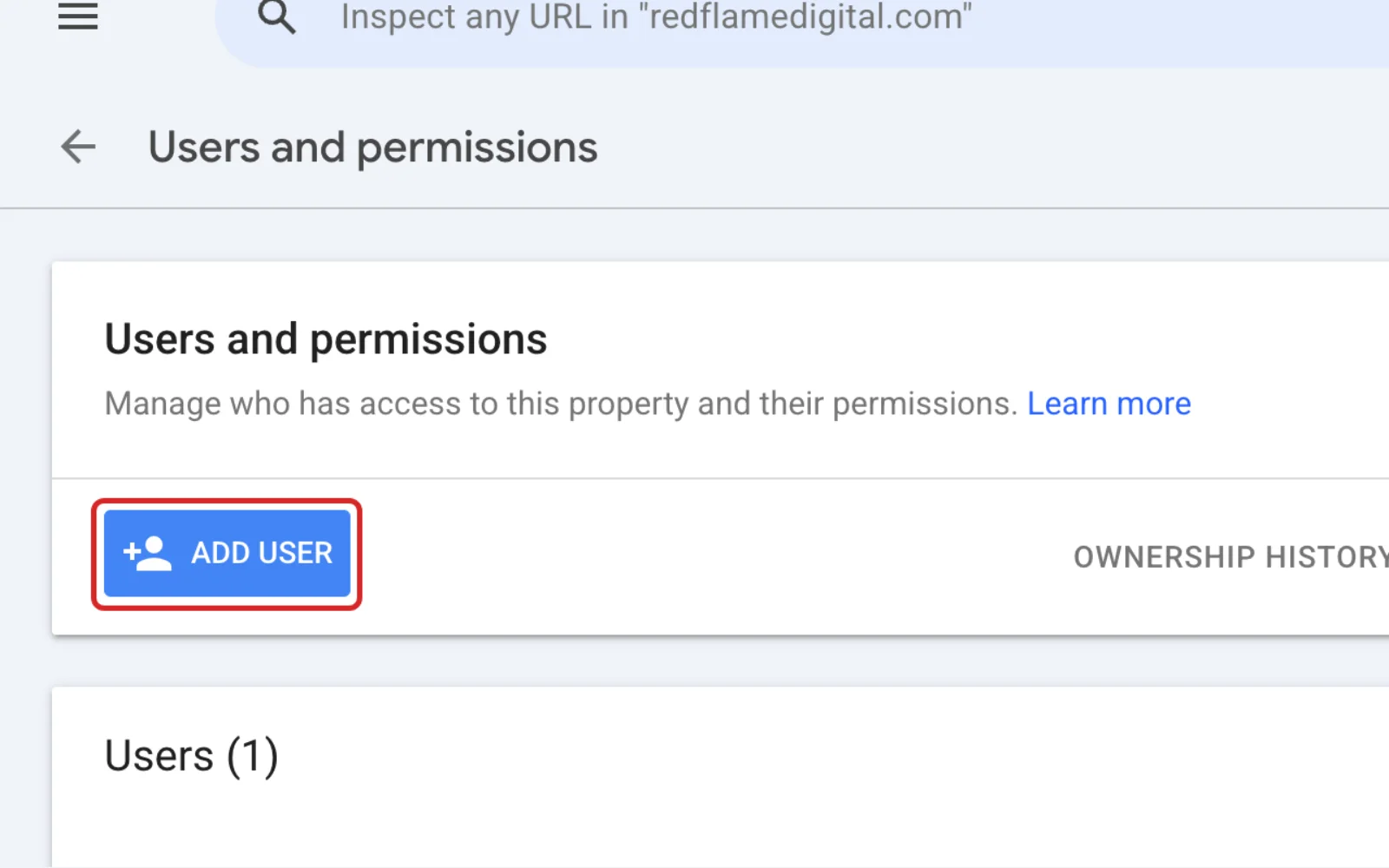
- Click Add user.
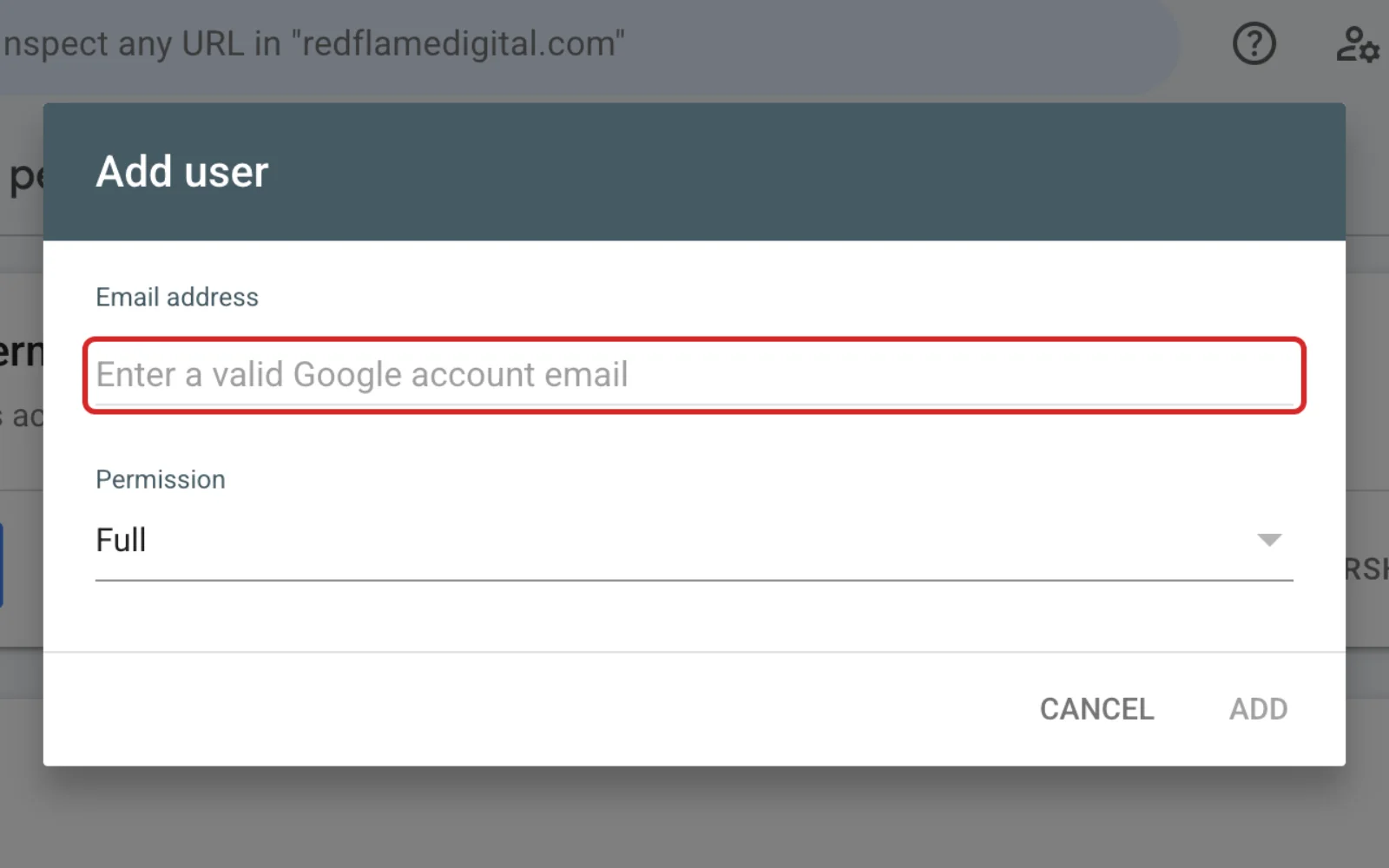
- Type the email address your agency gave you.
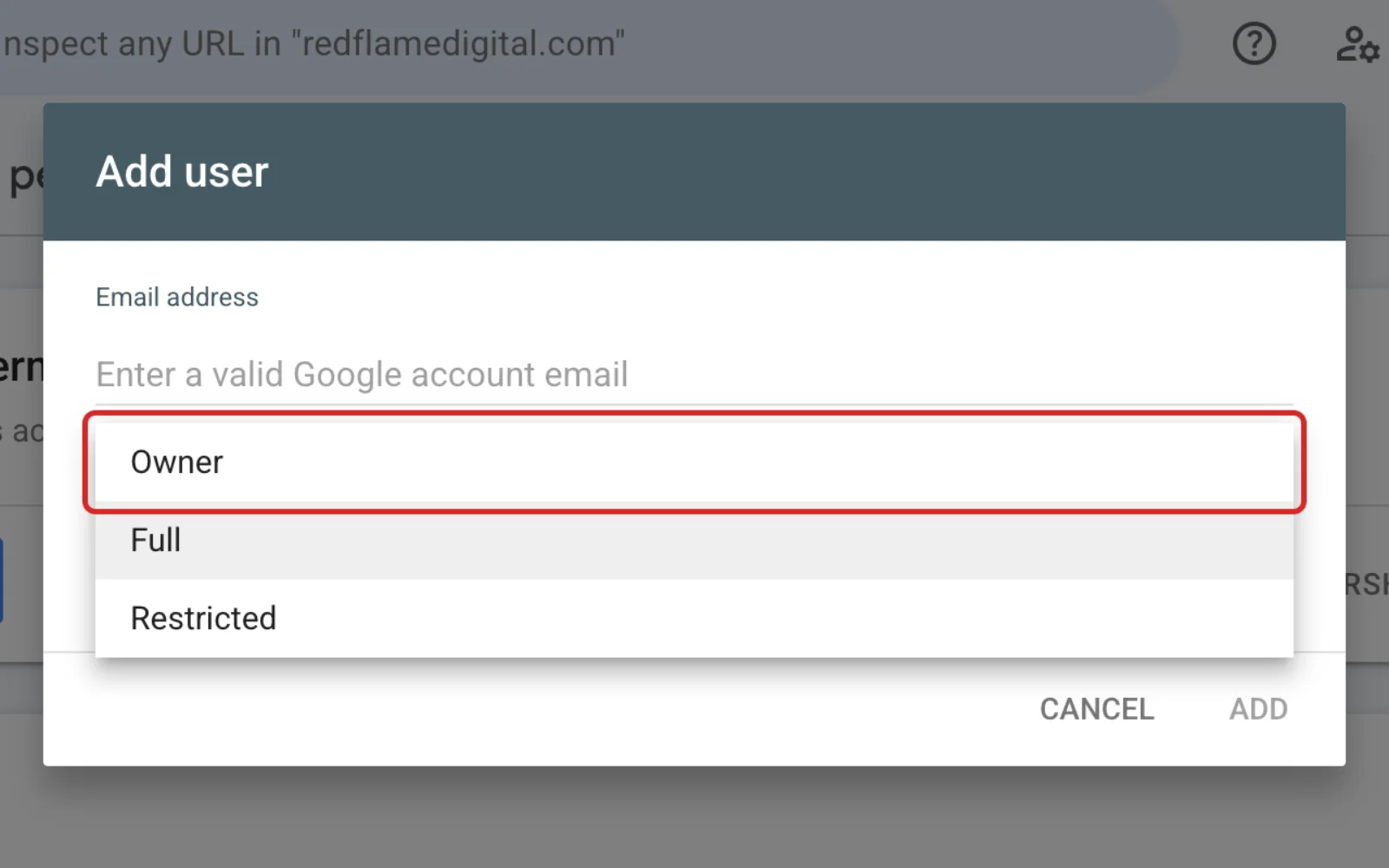
- Choose the permission Owner.
- Click Add.
Should you give Owner, Full or Restricted permission?
Choose Owner for an agency that builds or looks after your website. Choose Full if you only want them to see reports and send fixes to Google.
| Permission | What it can do |
|---|---|
| Owner | Full control, including adding users and changing settings |
| Full | Sees all data and can take most actions, such as submitting a sitemap (a list of your pages for Google) |
| Restricted | Sees most data, and can change very little |
How do you remove someone or change their permission?
Any owner can remove users and delegated owners, or lower their access, from Users and permissions. A delegated owner is one added by another owner, as your agency is.
- Go to Settings > Users and permissions.
- Click the More settings menu next to the person's name.
- Click Remove access, or click Change permissions to choose a lower level.
What if nobody can get into Search Console?
Verify the website again. Google keeps collecting your data, but nobody can see it until someone verifies ownership.
- Sign in to Search Console with your own Google Account.
- Open the property menu and click Add property.
- Enter your website address.
- Pick a verification method, such as a file or tag on your site, Google Analytics, Tag Manager, or a record with your domain name provider.
Google's verification help explains each method. If you don't know where your domain is managed, see who is my domain registrar.
Frequently Asked Questions
Why can't I see the Add user button?
Only owners see Users and permissions. If you're a Full or Restricted user, ask an owner to add your agency or make you an owner.
Does the person need a Gmail address?
No. They need a Google Account, and Google lets people create one with a non-Gmail address. You can't add an email group as a user.
Can a Search Console property have more than one owner?
Yes. Several people can verify the same website, and any owner can add more owners from Users and permissions.
Keep going
Related Guides
Giving Access
How to Add a User to Google Analytics
Last checked
Give your agency or a team member their own access to your Google Analytics data, without sharing your password.
Read the guideGiving Access
How to Add a User to WordPress
Last checked
Give your agency or a new team member their own WordPress login in about five minutes.
Read the guideDomains
Who Is My Domain Registrar? How to Find Out
Last checked
Find out where your domain name is registered, read the result, and get the account into your business's hands.
Read the guide
Questions About Your Website?
If your website needs work once your agency is in, see our web design page or get in touch.
Sources
Steps last checked against these pages on .
- Search Console Help: Managing owners, users, and permissions (checked Nov 12, 2026)
- Search Console Help: Verify your site ownership (checked Nov 12, 2026)
- Search Console Help: Add a website or platform property to Search Console (checked Nov 12, 2026)
- Google Account Help: Create a Google Account (checked Nov 12, 2026)