Case study · Southern Colorado Garage Door
A garage door website with its own door designer,so the estimate starts with the door already picked
Tom Godec has run Southern Colorado Garage Door in Pueblo on word of mouth since 1994, and we have built his website for years. This version had a different job. A homeowner with a broken door needed the number under their thumb. A homeowner choosing a new door needed to see it on their own garage before the first call. And Tom needed to know which calls the site was producing. So we rebuilt all twenty-two pages in his voice, kept every web address so nothing he had earned in search was lost, built a door designer into the site, and wired every call tap and quote request into his analytics. Tom prices every job himself. Nothing is sold online.
- Client
- Southern Colorado Garage Door
- Industry
- Garage doors and repair
- Services
- Web design and developmentCustom door designer softwareConversion tracking
- Live site
- southerncoloradogaragedoor.comOpens in a new tab.

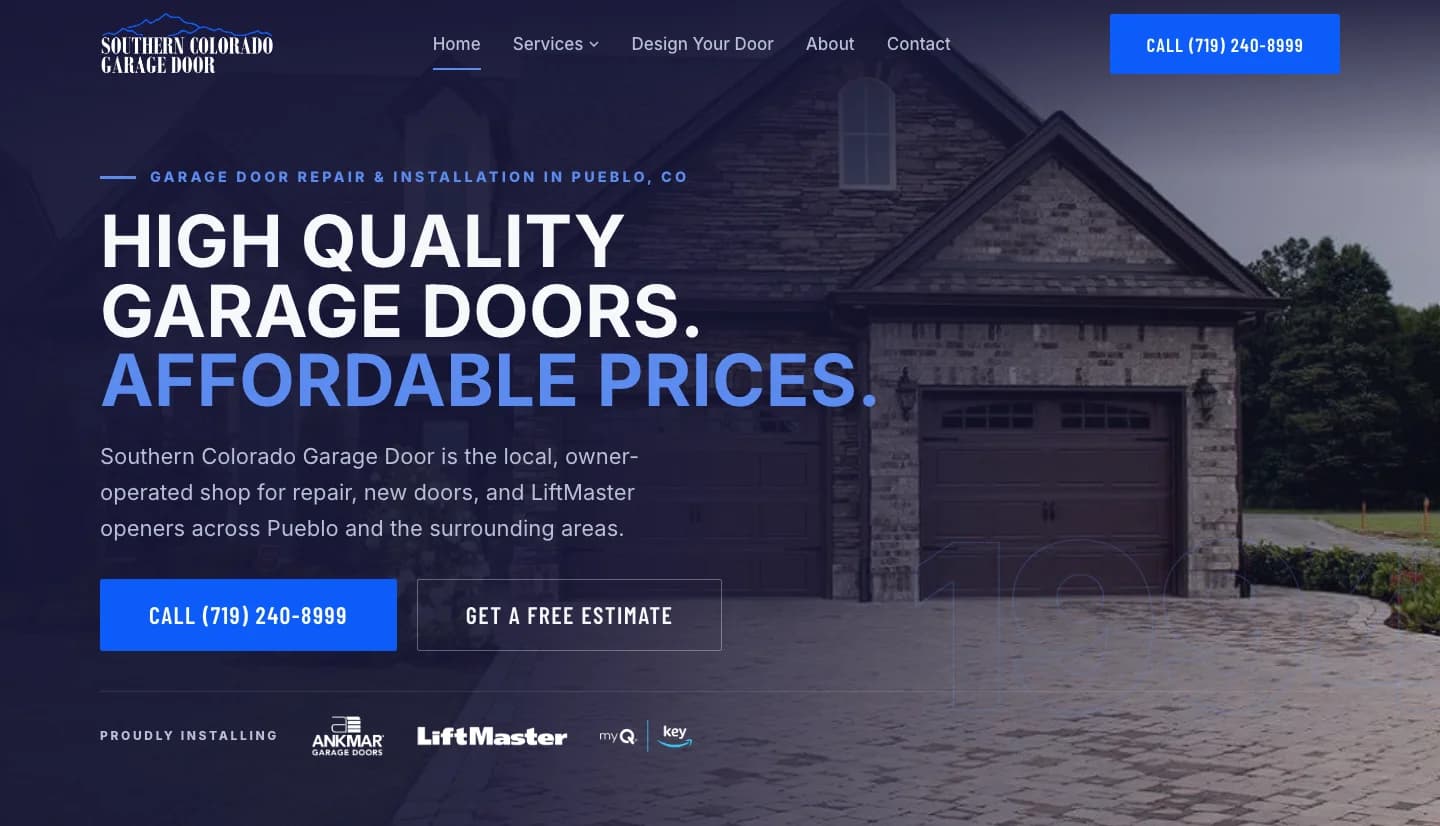
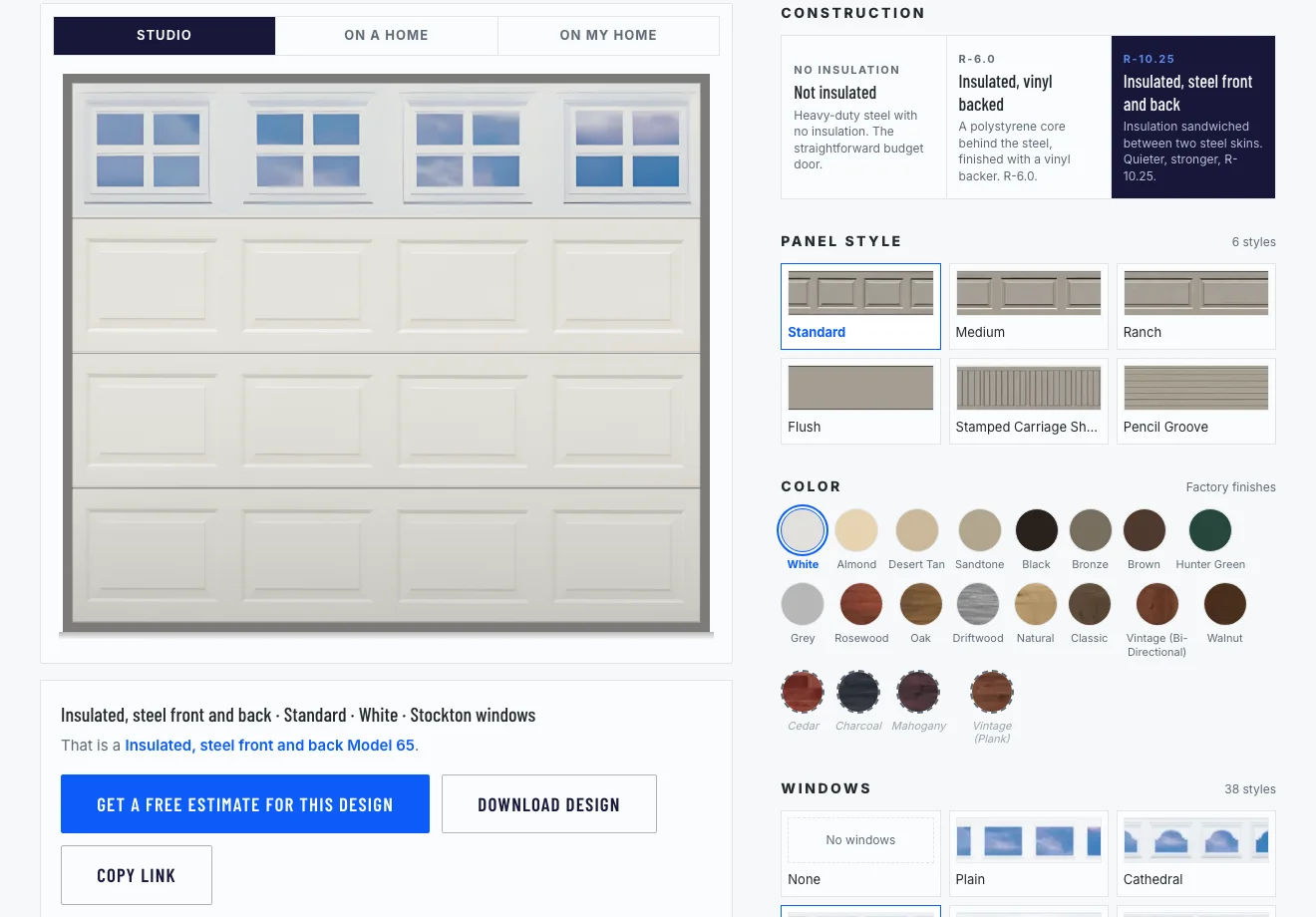
The site a Pueblo homeowner lands on, and the door designer built into it. Every option in the tool is a door Tom actually installs.
Both captured from the live site, September 2026.
Four jobs a garage door website has to do, for the homeowner and for Tom
Tom Godec is a Pueblo native. He learned the trade at another local garage door company, went out on his own in 1994, and has run on referrals ever since: doors, openers, springs, repairs, one phone number, and a rule against selling anyone something they do not need. His own line for it: "Educate people, give them a fair price, and do the job right. The referrals take care of themselves." We have built his website for years. This version started from a different question: not what the site should say about the business, but what the people landing on it need to do, and what Tom needs to know afterward. Four jobs came out of that.
Get the number into a panicked hand
A broken spring at seven in the morning is a phone call, not a browsing session. That homeowner is on a phone, in a driveway, and the page has one job: put the number under their thumb and say plainly that this is work Tom does.
Show the door before anyone commits to it
A new door is a decision about your own house: which panel, which finish, which windows, on that wall. A brochure cannot answer it, and a photo of somebody else's house only half does. The site needed a way to show the door on the customer's own garage before the first conversation.
Make thirty years of word of mouth visible to a stranger
A referral arrives already trusting Tom. A search visitor does not. The things that convince that visitor, since 1994, the five-year parts and labor warranty, the Ankmar and LiftMaster dealer badges, the doors he has hung, needed to sit together where a stranger looks first.
Tell Tom what the site is doing for him
A phone-first business lives on calls, and a site that cannot say which of them it produced is a site nobody can improve. Tom needed every tap on his number and every sent form counted, so a change to the site could be judged by the phone, not by a feeling.
What the new site does while Tom is out on a job
Twenty-two pages, rebuilt in the order a homeowner needs them: what is wrong with my door, who fixes it, what a new one looks like, and how to reach him. Everything below is on the public site today. There is no login and no back office. Everything the site does for him arrives as a phone call or an email.
- Getting found. One search phrase per page, in the title, the heading and the first paragraph, then written the way Tom talks. The pages Google already knew kept their addresses, and his Google Business Profile got his real services and photographs.
- Getting the call. His phone number is the main button on every page and a fixed bar at the bottom of every phone screen. Every tap on it, and every form that gets sent, now counts as a conversion in his analytics.
- Selling the door. The door designer lets a homeowner build the door they want, see it on a house, and send it to Tom with the size of the opening, so the first conversation starts with a design instead of a description.
Every page rebuilt, every address kept
The site moved off Webflow onto Next.js, hosted on Vercel. All twenty-two pages were written again, one search phrase each, in Tom's voice, at a reading level a tired homeowner can take in at the kitchen table. The addresses of the old pages did not change, so every link and every search result that pointed at them still lands: on launch day, all twenty-two old addresses answered. The repair page opens with the three things that stop a door, the six repairs that cover almost every call, and plain answers to seven common questions.

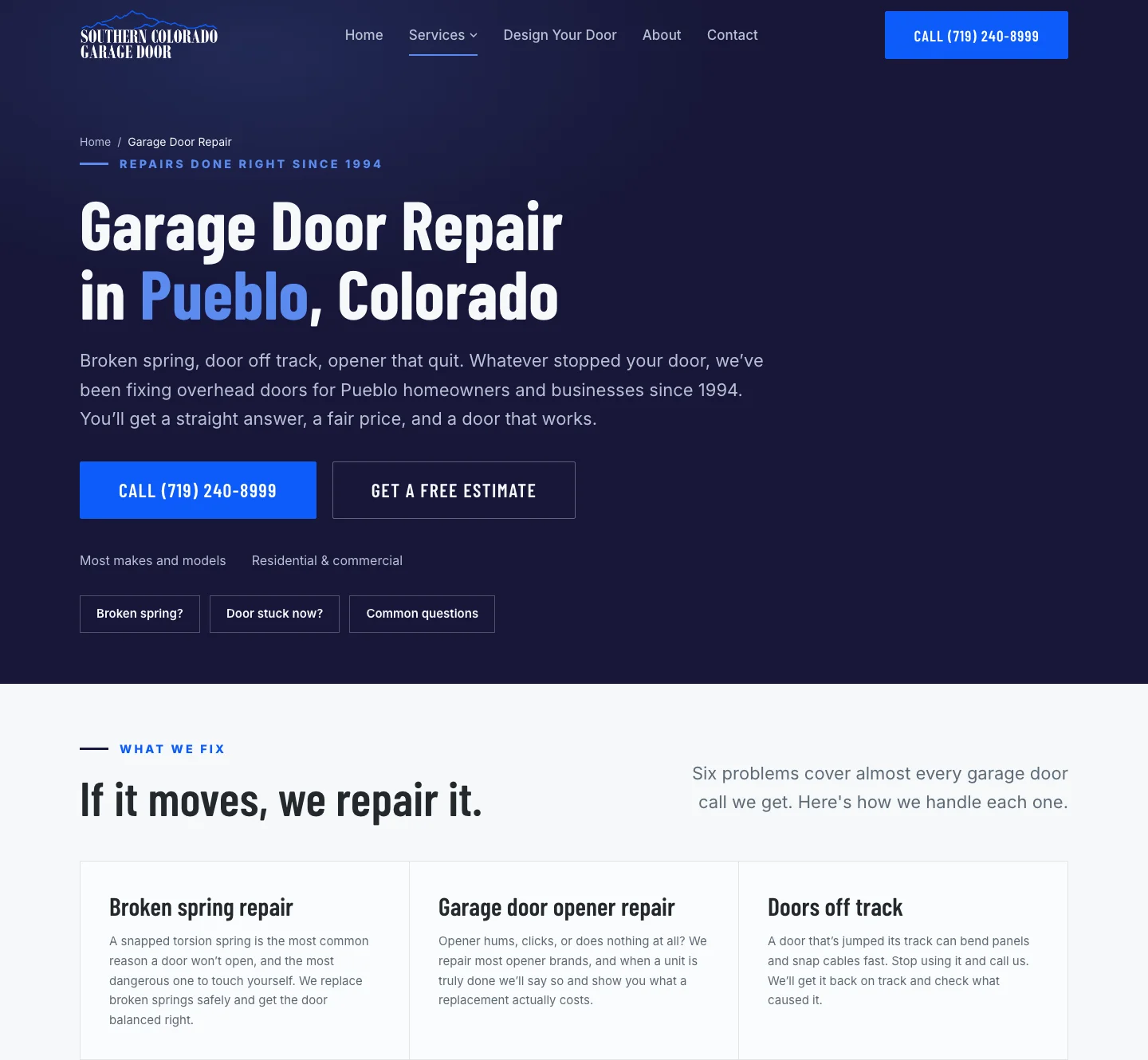
The repair page, rewritten. One phrase for the search engine in the heading, then plain answers: what stops a door, and what each repair involves.
The phone number is the button
This is a phone-first business, so the site is built around one action. On a desktop the number is the solid button in every hero, with a free estimate as the second choice. On a phone the number is a fixed bar at the bottom of the screen on every page, so it is never more than a thumb away. The contact form is there for the people who would rather type. It goes to Tom by email, with a hidden field and a timing check in front of it, so a robot filling it in is dropped before it reaches him.
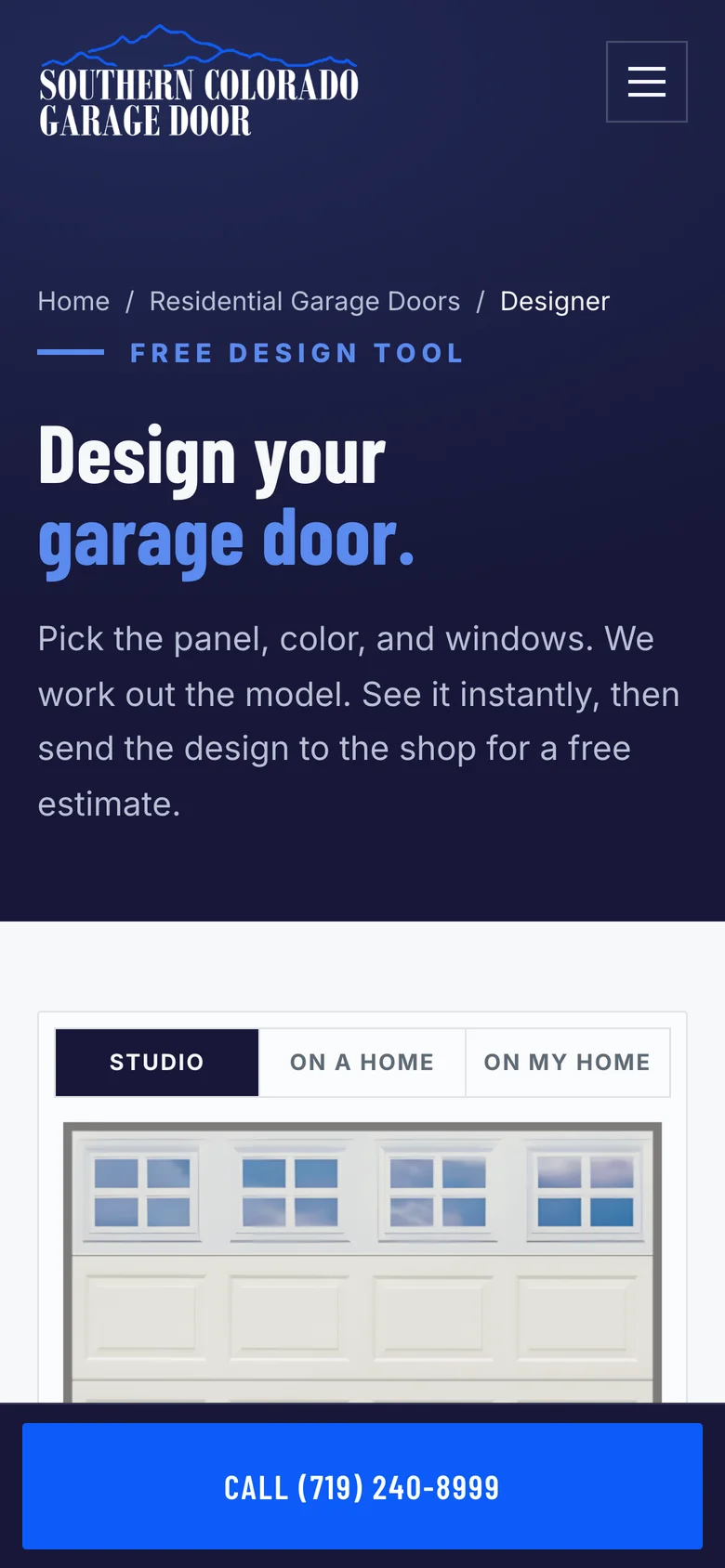
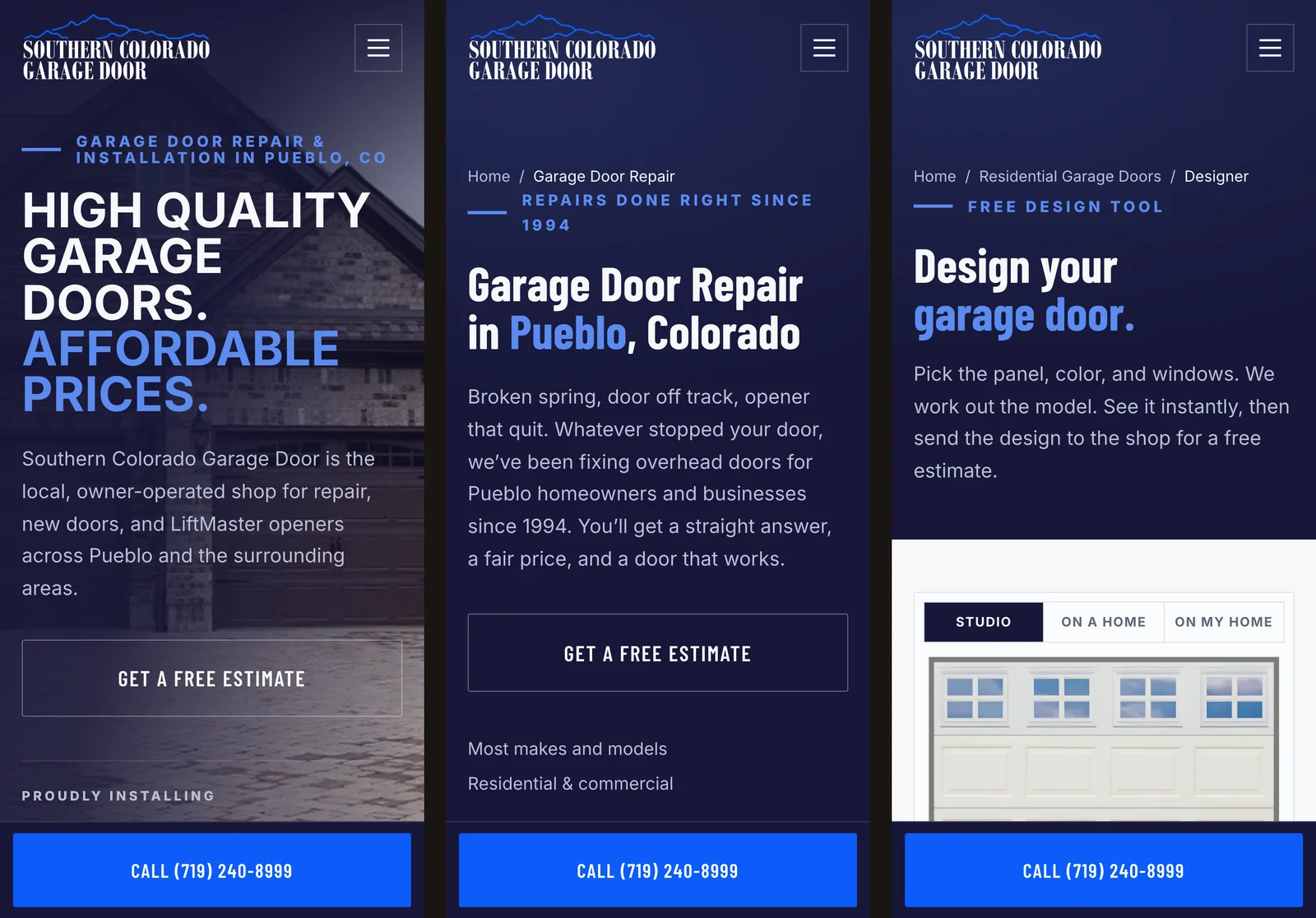
On a phone the call bar stays at the bottom of the screen on every page: the homepage, the repair page, the designer. Whatever the visitor is reading, the number is under their thumb.
The door designer
Choosing a garage door from a brochure means guessing how a panel, a color and a window style look together on your own house. So we built a designer into the site. A homeowner picks how the door is built (not insulated, insulated with a vinyl back, or insulated with steel front and back), then a panel style, a factory finish and a window style: six panels, twenty finishes including eleven wood looks, thirty-eight window designs. The door redraws as they pick. They can see it on its own, on a Pueblo house, or on a photo of their own garage, dragging four corners to fit the opening. That photo never leaves their phone or computer; nothing is uploaded. The tool works out the Ankmar model number from the choices, greys out any combination the factory does not make and says why, writes the design into the page address so a copied link reopens the same door, and can save a picture of it. Then one form sends the design to Tom with the customer's name and phone, the size of the opening if they know it, and how many doors. He prices it. Nothing is sold online, and every option in the tool is a door he installs.
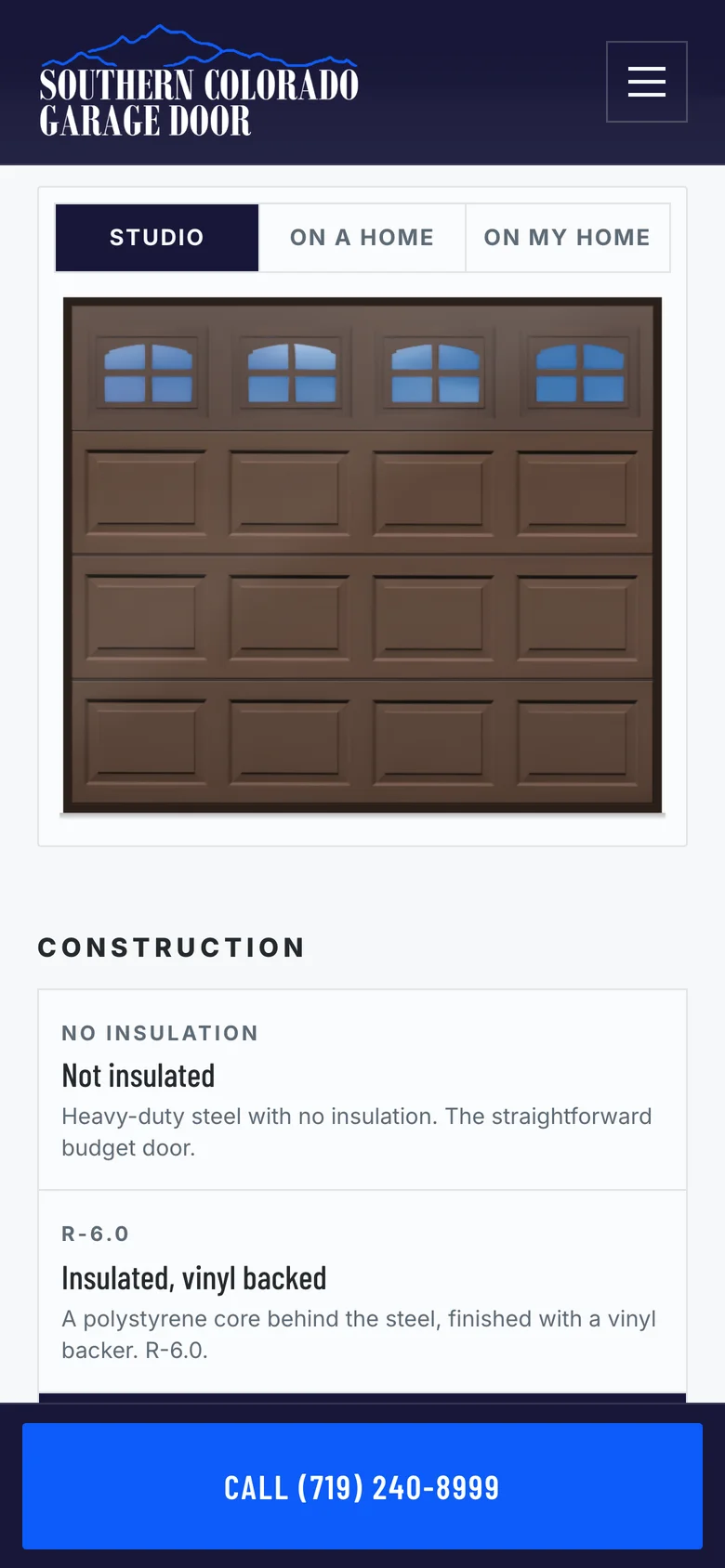
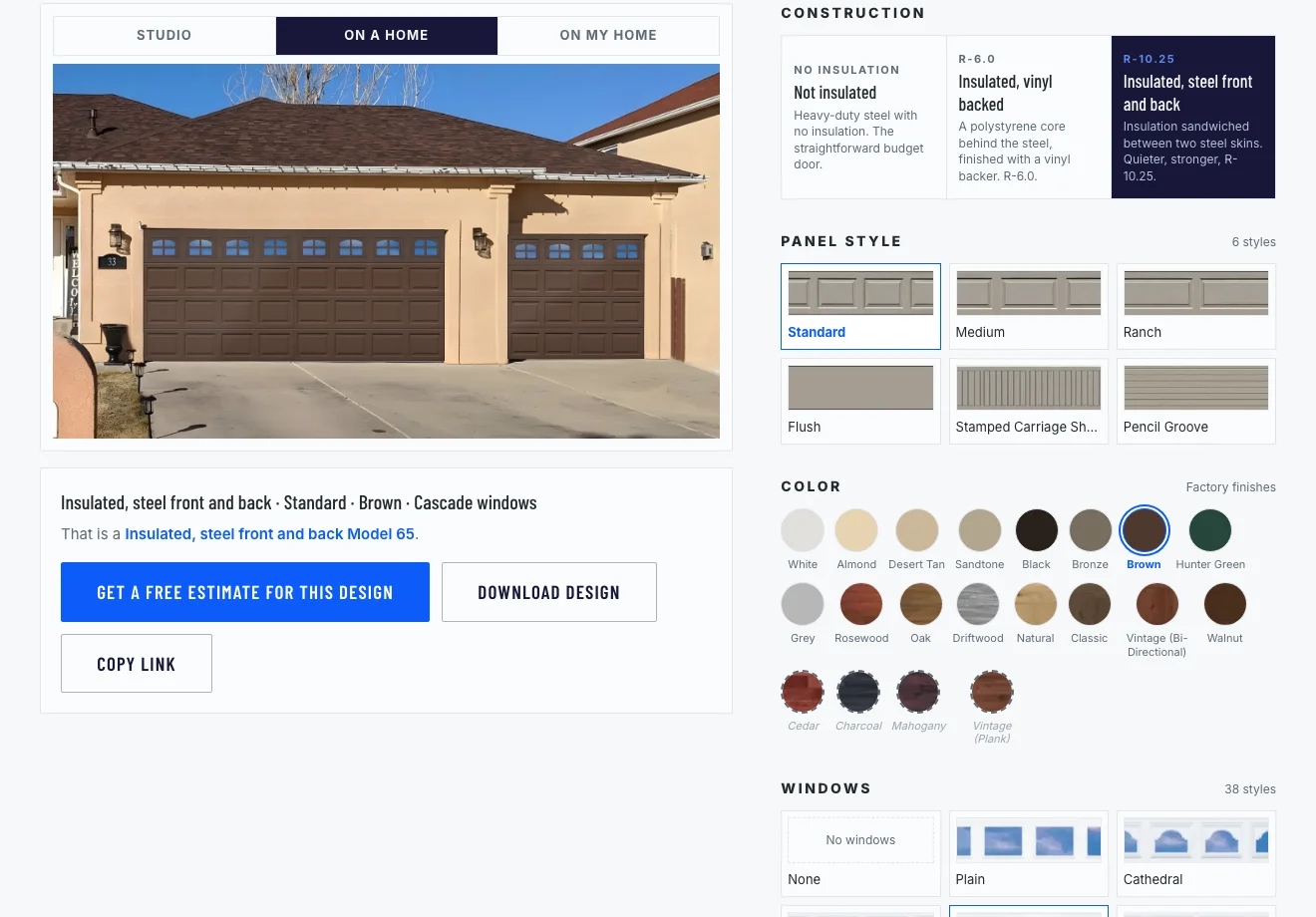
The design on a house. Construction, panel, finish and windows on the right; the door redraws on the left with every choice.
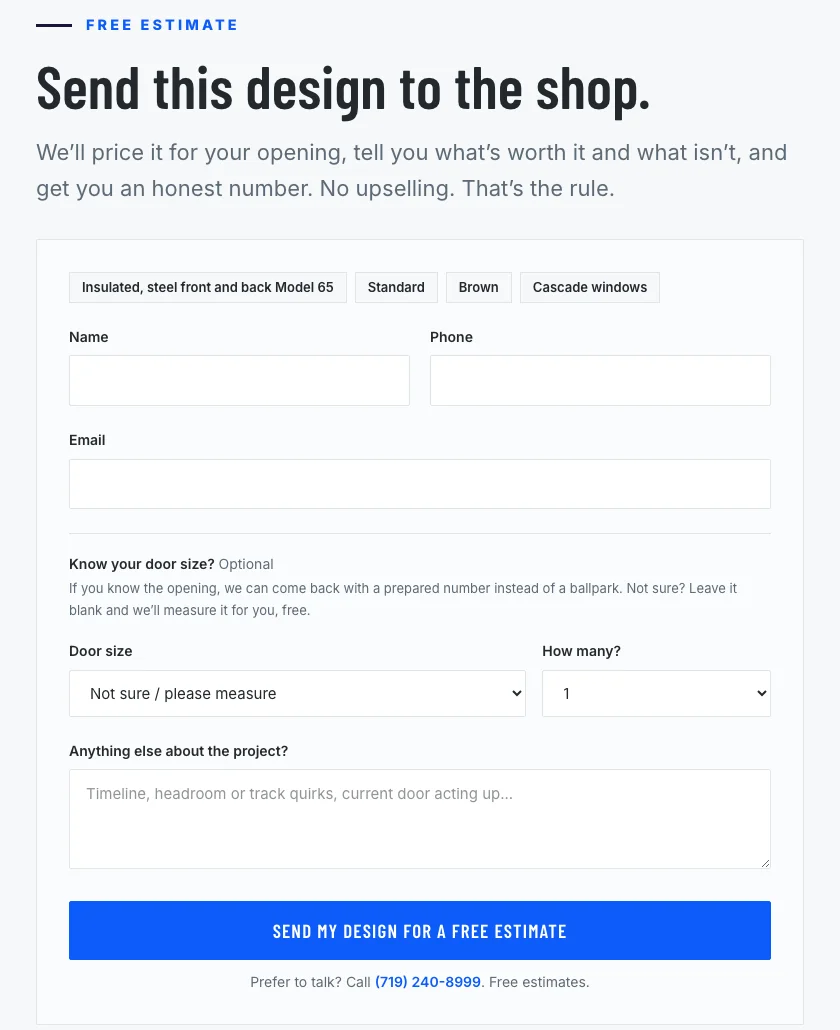
The form under the designer, already filled with the design. The customer adds a name and number, the size of the opening if they know it, and how many doors. Tom gets all of it by email with a link that reopens the exact door, and comes back with a real number instead of a ballpark.
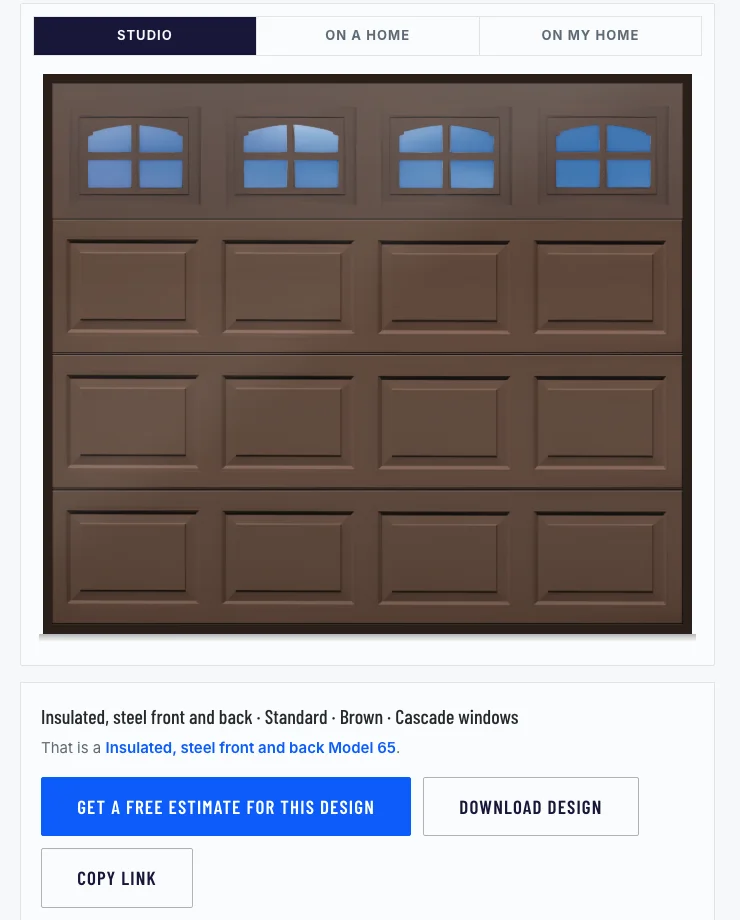
The tool works out the model number from the choices. A copied link reopens this exact door, and the download saves a picture of it with Tom's number along the bottom.
Proof where a homeowner looks for it
The record was always true: out on his own in 1994, thirty years in Pueblo, five years parts and labor on every new door. Now it sits in one band on the homepage under his own words, and the doors he has hung sit under that. The gallery separates his own installs, photographed on the driveway as he left them, from the manufacturer's catalog photographs, and labels which is which, so nobody mistakes a brochure for his work.
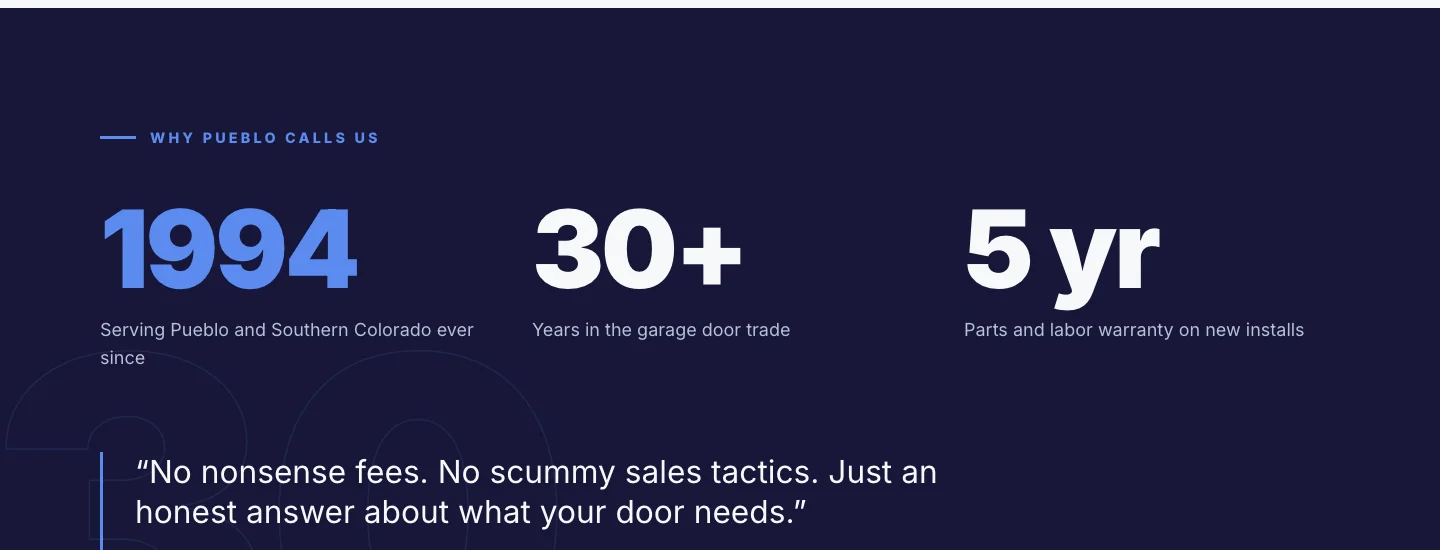
The record in one place: the year, the years, the warranty, and the rule he works by.
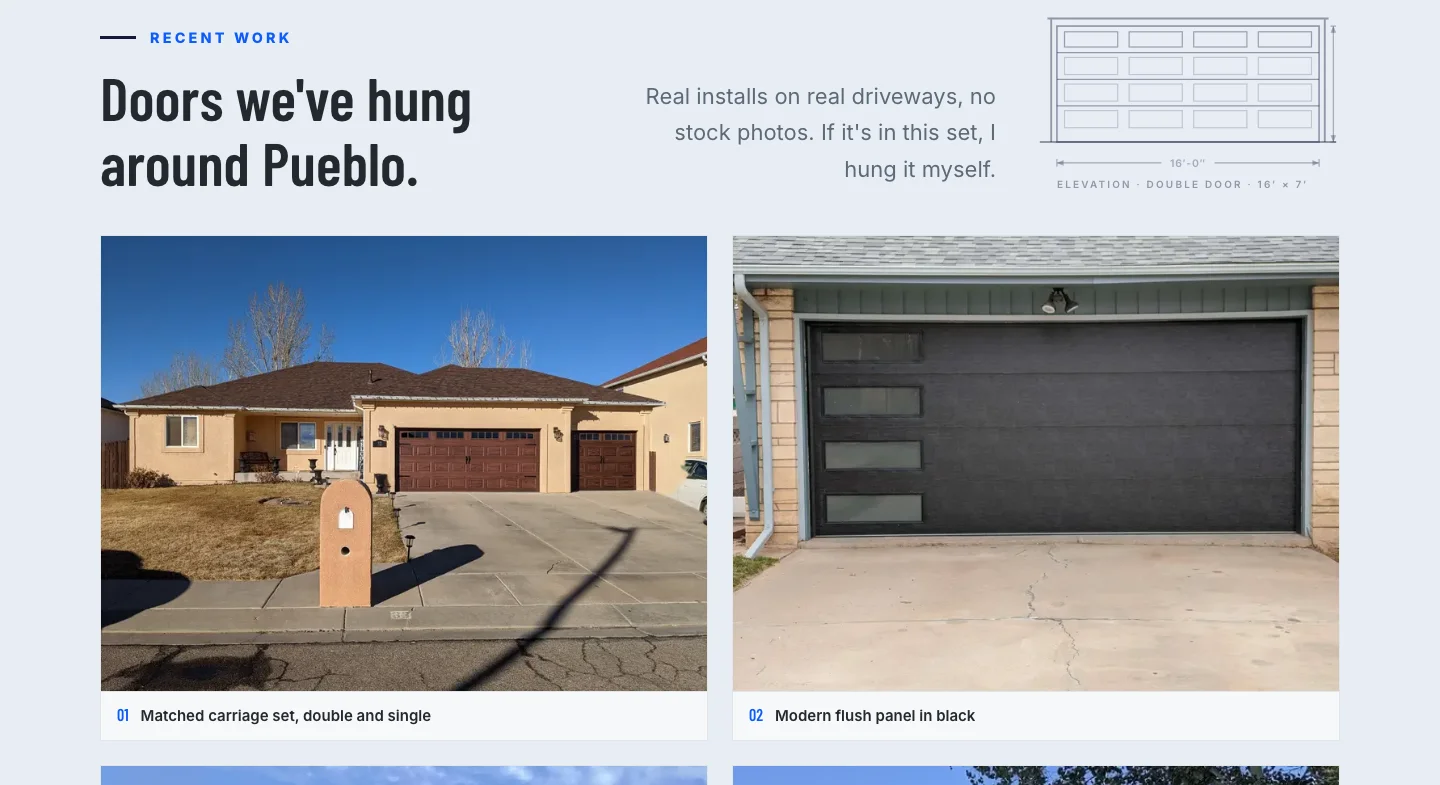
His installs on the homepage, captioned by style. The catalog photographs live on the gallery page under their own heading, marked as the manufacturer's.
Every call and every form now counts
At launch we checked what his analytics was recording. Visits and events, yes. Conversions, none: the tracking was still set up for the version of Google Analytics that Google retired in 2023, so it had no way to count a phone tap or a sent form. We rebuilt it in Google Tag Manager, the tool that tells the analytics what to count: a tag for every tap on the phone number, one for every form that is confirmed sent, the old tags retired, and each checked on the live site to fire exactly once. The counting started the day the site went live. The numbers are his to read.
- Every tap on the phone number, on every page, counts as a call.
- A form counts only when the site confirms it was sent, so a bounced or blocked submission is not a lead.
- Each conversion is recorded a single time. We checked on the live site that a page view, a call tap and a sent form each register once, with no doubles.
- The tags live in his Tag Manager account, not in the site's code, so the next person can change what gets counted without touching the site.
Under the hood, the parts he never has to think about
Built to be fast, to stay found, and to stay out of his way.
Every old address answers
All twenty-two pages kept their web addresses through the move, and the sitemap lists only the pages meant to be found.
Structured data on every page
The site tells Google, in Google's own format, that this is a home and construction business in Pueblo, which pages are services, which questions the repair page answers, and that the designer is a free web application.
Nothing borrowed, nothing to patch
Moving off Webflow onto Next.js means no page builder's scripts load with each page. Pages are finished before a visitor asks for them and served from a network close by, so they open quickly on a phone in a driveway, and nothing sits there waiting to break while Tom is on a job.
Forms that reach a person
Both forms reach Tom by email, with a hidden field and a timing check in front of them to catch robots. A submission that fails either is dropped, and one that passes lands in his inbox as one clean message, design details and all.
His Google Business Profile, rewritten
The listing describes his business in his voice, lists the eight repairs and installs people actually search for, and shows real photographs of his work. It stays a service-area listing with no street address, because the work happens at the customer's house.
Nothing of the visitor's is kept
The designer's own-photo mode reads the picture on the visitor's device and never uploads it. There is no account, no login and no database of designs. A design lives in its link.
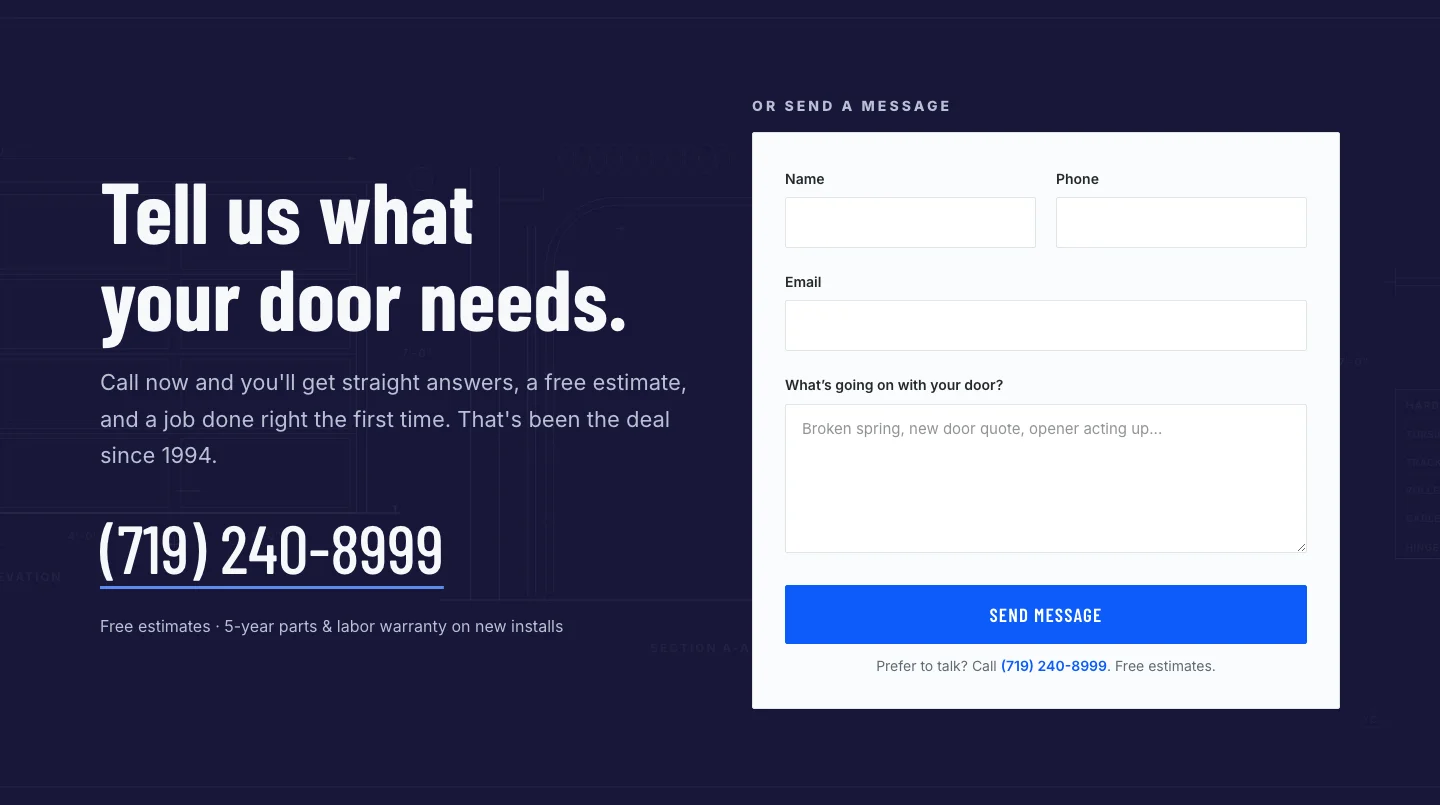
The form is the second door in. The first is the number next to it.
Straight talk about what this is and what it is not
The site went live at the end of July 2026 with the door designer in it. This page shows what was built, not what it has produced. Every call tap and every quote request is counted in Tom's analytics, and those numbers are his, not ours to publish.
The designer draws a door from photographed panels and windows. It is a good likeness, not a photograph of the finished door, and the page says so. It is not a store, either. Nobody can buy a door online, because a garage door is priced against the opening it goes into, and Tom measures that himself.
Everything on this page was captured from the public site in September 2026. There is no customer data on any of it to hide, which is how a site for a one-man shop should be.
Captured from the live site, September 2026. No customer data appears on any screen.
Your website has a job. Here is how we find out what it is.
Get clear
We start with the job the site has to do. Who calls, what they ask, what you are explaining over the phone for the tenth time this week, and what you are doing by hand right now. No sales pitch, just a straight read on where you stand. If we are not the right fit for it, we will tell you.
Build the strategy
Then we design around that job: the pages that answer the question, the button that takes the call, and custom software behind the page when a page on its own is not enough. You see the plan in plain English before anybody writes a line of code.
Execute to win
We build it and launch it, then stay in it. You get the walkthrough, your own access, and a partner who picks up the phone when the thing you built needs to change.
Every month your website only describes the business is a month your phone does the selling on its own, one explanation at a time.
More work worth a look
Five more websites we built, for owners in pools, tree care, law, hiring and insurance. Three are below; the other two, and the basketball camp system, are on the portfolio page. Same question behind every one: what does this site have to do?
National Pools of Roanoke
A pool builder's site for Roanoke homeowners, built around project galleries so a buyer can see finished work before they call. Service details sit behind the photos.
View live siteJ&J Treewackers
A Roanoke tree service site that puts the company's certified arborist credentials in front of homeowners, then gives them one place to ask for a quote.
View live siteNeil Horn P.C.
A site for a Roanoke criminal defense practice, including defense against impaired driving charges.
View live site