Case study · Collins Enterprises
Custom basketball camp management softwarefor a roster that counts itself
LaTanya Collins, head women's basketball coach at St. Mary's College of Maryland, came to us with a camp to fill and no website. We built her two things: the camp website where parents sign up and pay, and a private site behind it that only she and the people she invites can open. That is where the list of everyone who has paid lives, where shirt sizes and grades add up on their own, where the door staff tick players in, and where she sees which coach brought each family.
- Client
- Collins Enterprises
- Industry
- Basketball camps
- Services
- Web design and developmentCustom camp management software
- Live site
- collinsenterprises.coOpens in a new tab.
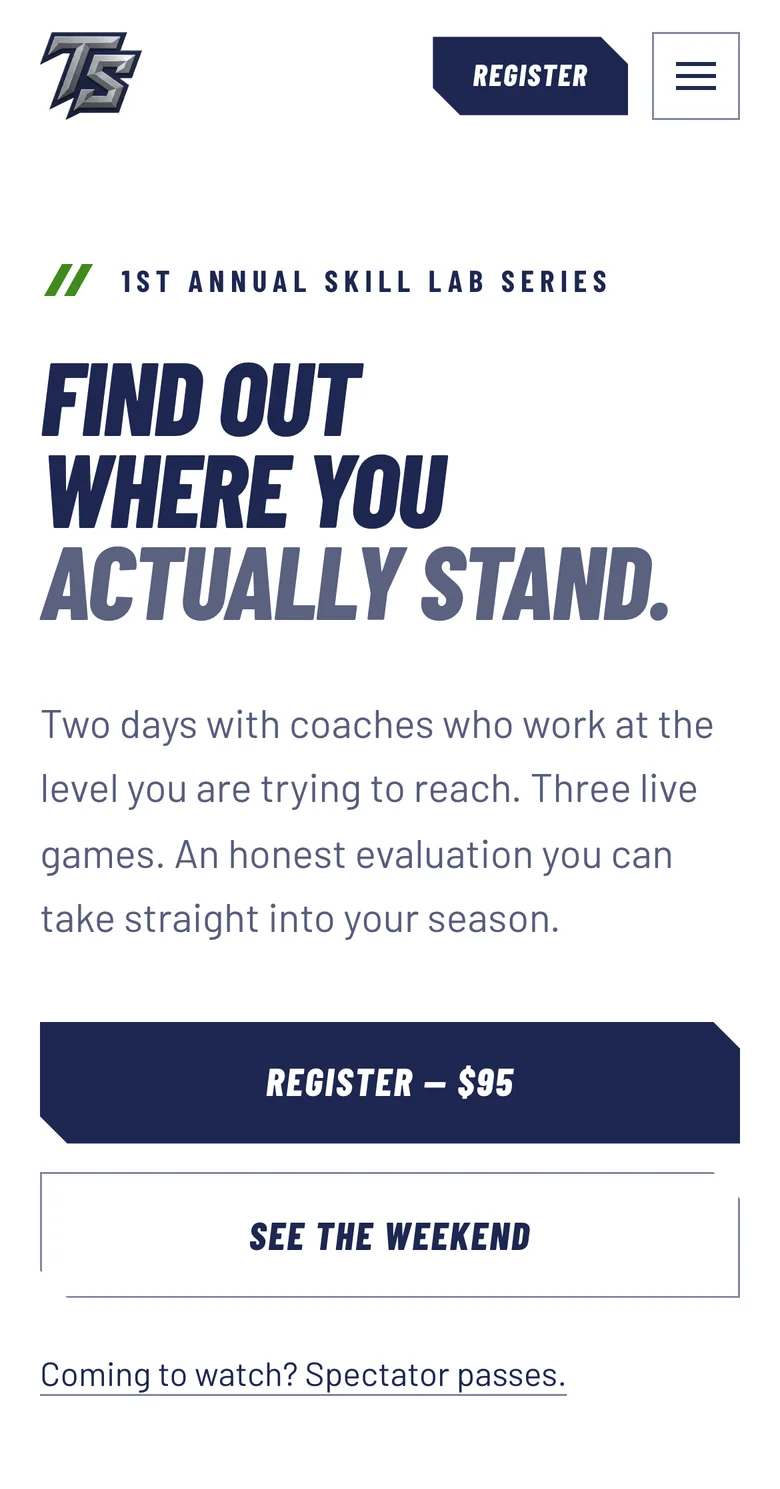
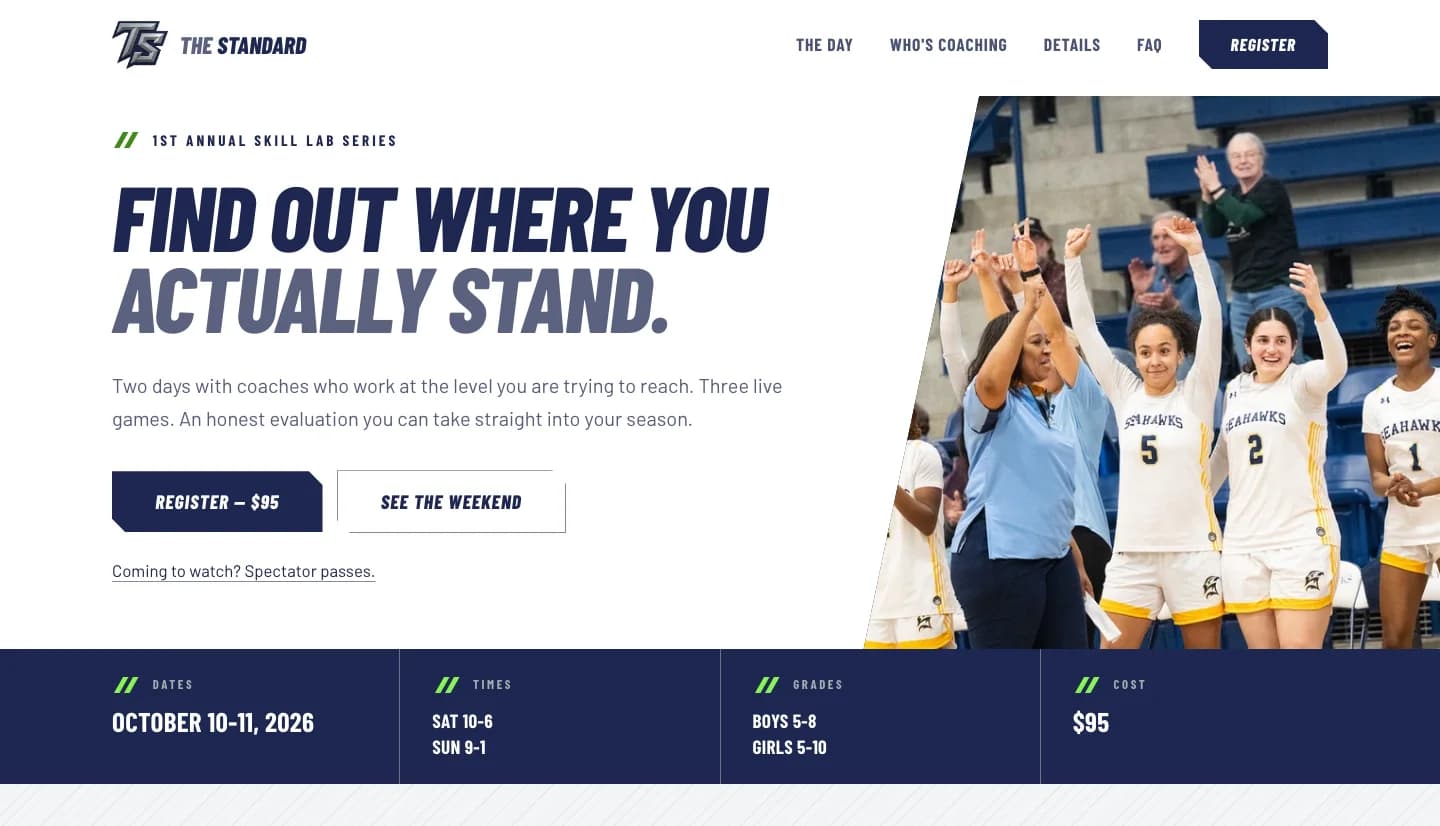
The camp site a parent sees, and the roster it feeds the moment that parent pays.
Demo data from the September walkthrough, not real registrations.
Every registration arrived. Nothing counted itself.
LaTanya Collins has coached college basketball for fifteen years at every NCAA level, twice United East Coach of the Year, and now leads the women's program at St. Mary's College of Maryland. Collins Enterprises is her camp business, and The Standard Skill Lab Series is its first event. She came to us with no website. The last one, built years earlier by a developer she could no longer reach, had been a sign-up form, a waiver, a payment link and every registration landing in her inbox. That model is fine at ten players. It is a different job at a hundred.
One email per player, and the counting is yours
At a full floor, a hundred registrations is a hundred separate emails. Shirt sizes, grades and medical notes all have to be pulled back out of them by hand, one message at a time, on the week she should be running a camp.
A payment link does not know how big the gym is
The venue holds a number. Nothing in that setup stops the registration that comes in after the last spot is gone, and closing registration meant remembering to take the link down herself.
Other people's children, scattered across an inbox
Her form collects birth dates, emergency contacts and medical notes for kids who are not hers. That belongs somewhere locked down rather than sitting in a mailbox, and she knew it before we said a word about it.
Coaches promoting a camp they could not see
Her coaches spread the word at gyms and in group chats, and nothing tied a family back to the coach who sent them. She could not tell who brought in a registration, let alone who actually showed up on the day. People who fill your floor deserve credit you can point at.
What the software does so LaTanya does not have to
The public pages sell the camp. What follows starts the moment a parent taps pay, in the order it reaches her. All of it happens in the portal, the private site only she and her staff can sign into.
- Camp management. Registration, payment, the roster, the check-in list and email to parents in one place, so the week before camp is not spent retyping emails.
- Camp marketing. Coach links and QR codes that credit the coach who brought each family, a discount that follows the parent to checkout, and every paid family from a past camp one email away when the next one opens.
- Recruiting. The basketball profile a family can fill in, their school, AAU team, coaches, accolades and offers, sits in the same roster and downloads with it, so after camp she has a record of the players she saw and, for the families who shared it, who coaches them.
Six steps in, one complete record out
A parent works through six short steps: the player, an optional basketball profile (school, AAU team, coaches, accolades, offers), their own contact details, safety information and the waiver, then a review before paying. They type their name to sign, and the record keeps that name, the exact time, the internet address their device was using, and the exact waiver wording they agreed to, which makes the signature a record rather than a tick box. The parent gets a confirmation with what to bring and when to arrive, and LaTanya gets the full registration by email the moment the payment completes.
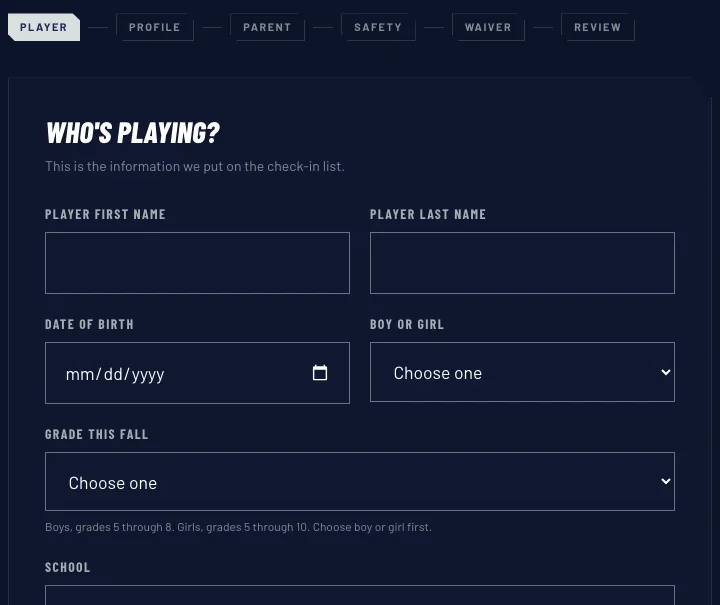
The six steps a parent moves through on the live site, before anything has been typed.
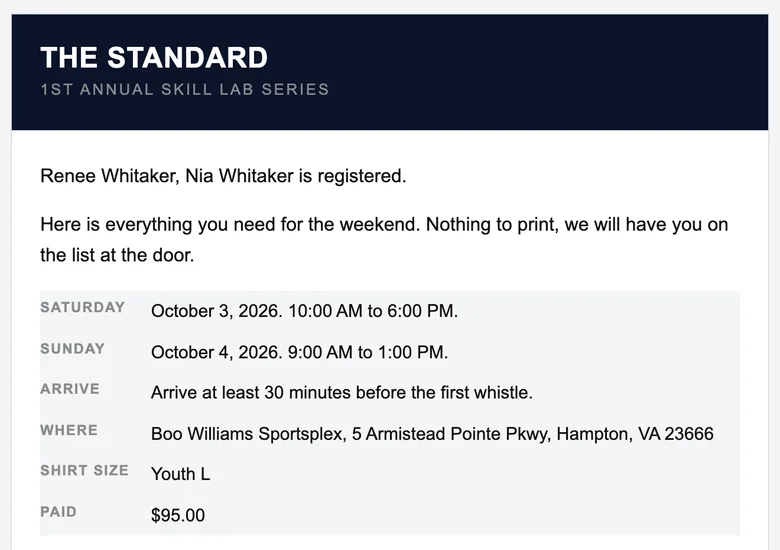
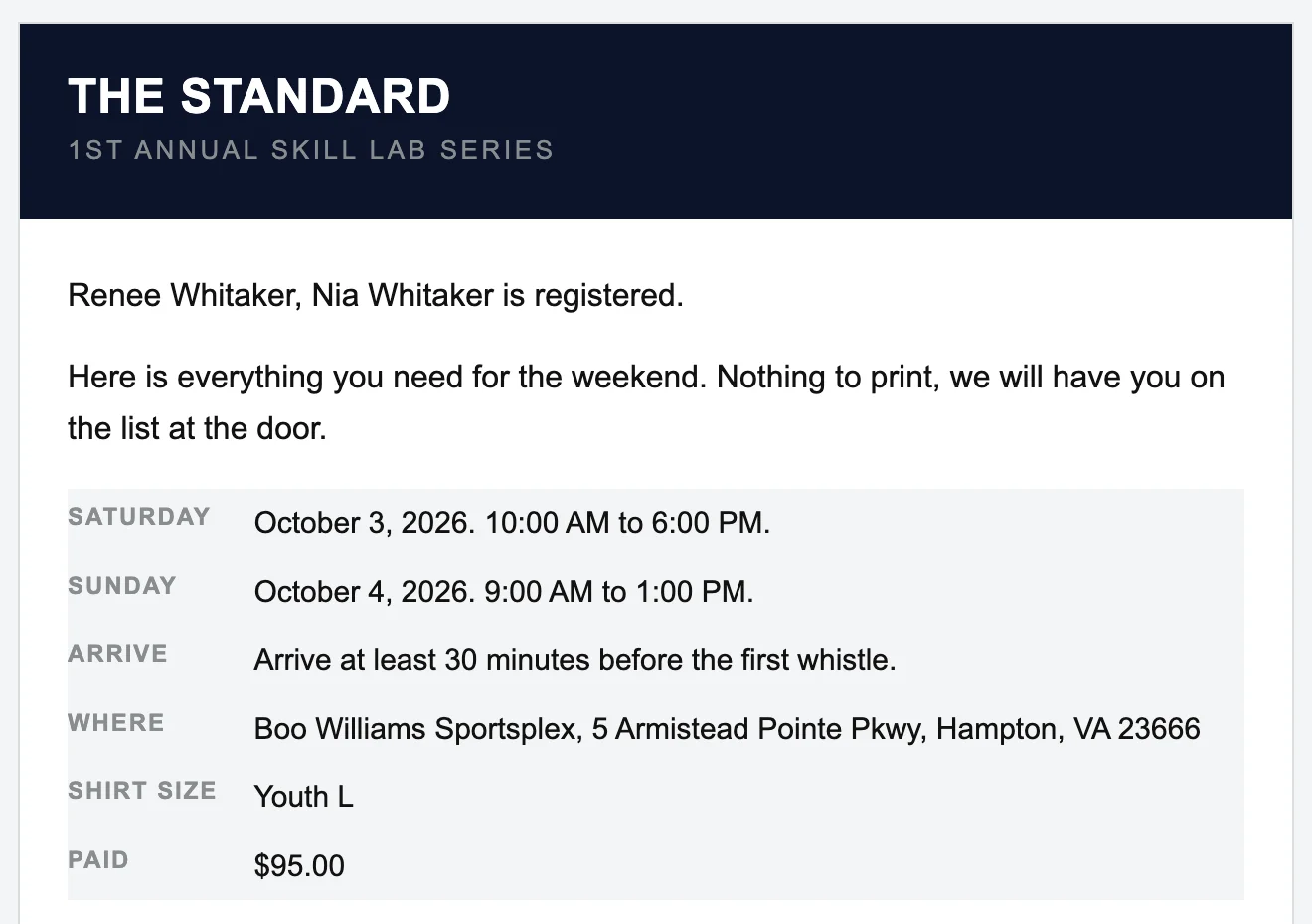
The confirmation email a parent receives, from a test registration in September, before the camp moved to October 10 and 11.
Card or door, and the record knows which
A family pays by card or at the door, spectators buy their own passes, and the record knows which a family chose.
- Card payments happen on a page run by Stripe, the company that handles the money. Card numbers never touch the website, and we work out the price on our side rather than in the parent's browser, so nobody can change what they are charged.
- A family can choose to pay at the door instead. That choice stays on the record with the amount still owed, so staff see it on camp morning.
- Anyone coming to watch buys their own pass, by the day or for the weekend. The pass arrives by email with a code on it, and they show or read out that code at the door.
A roster that does its own counting
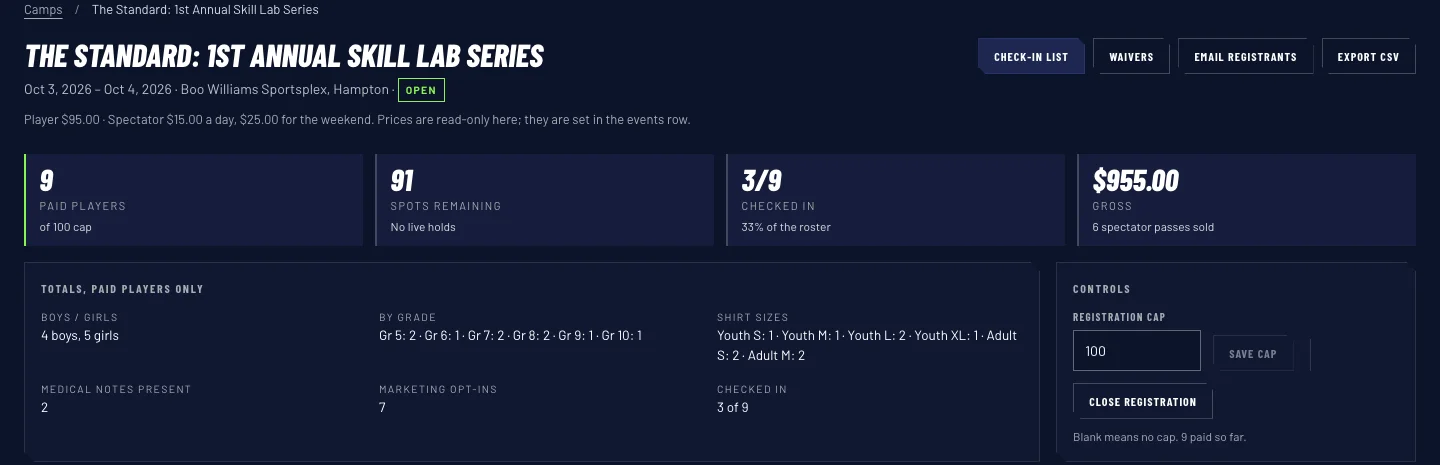
One screen shows her where the camp stands: how many players have paid, how many spots are left against the limit she set, how many are checked in, and how much has been paid so far. Underneath are the totals that would otherwise be counted by hand: shirt sizes added up, boys and girls, a count by grade, how many carry a medical note, how many want to hear about the next one. The limit and the open or closed switch sit on that same screen. Raise the limit and the public site takes more registrations straight away. Close it and the site stops taking them and says so.
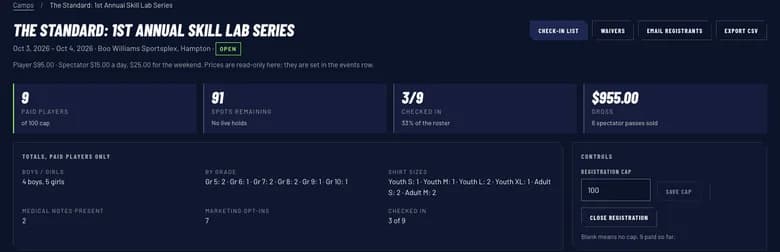
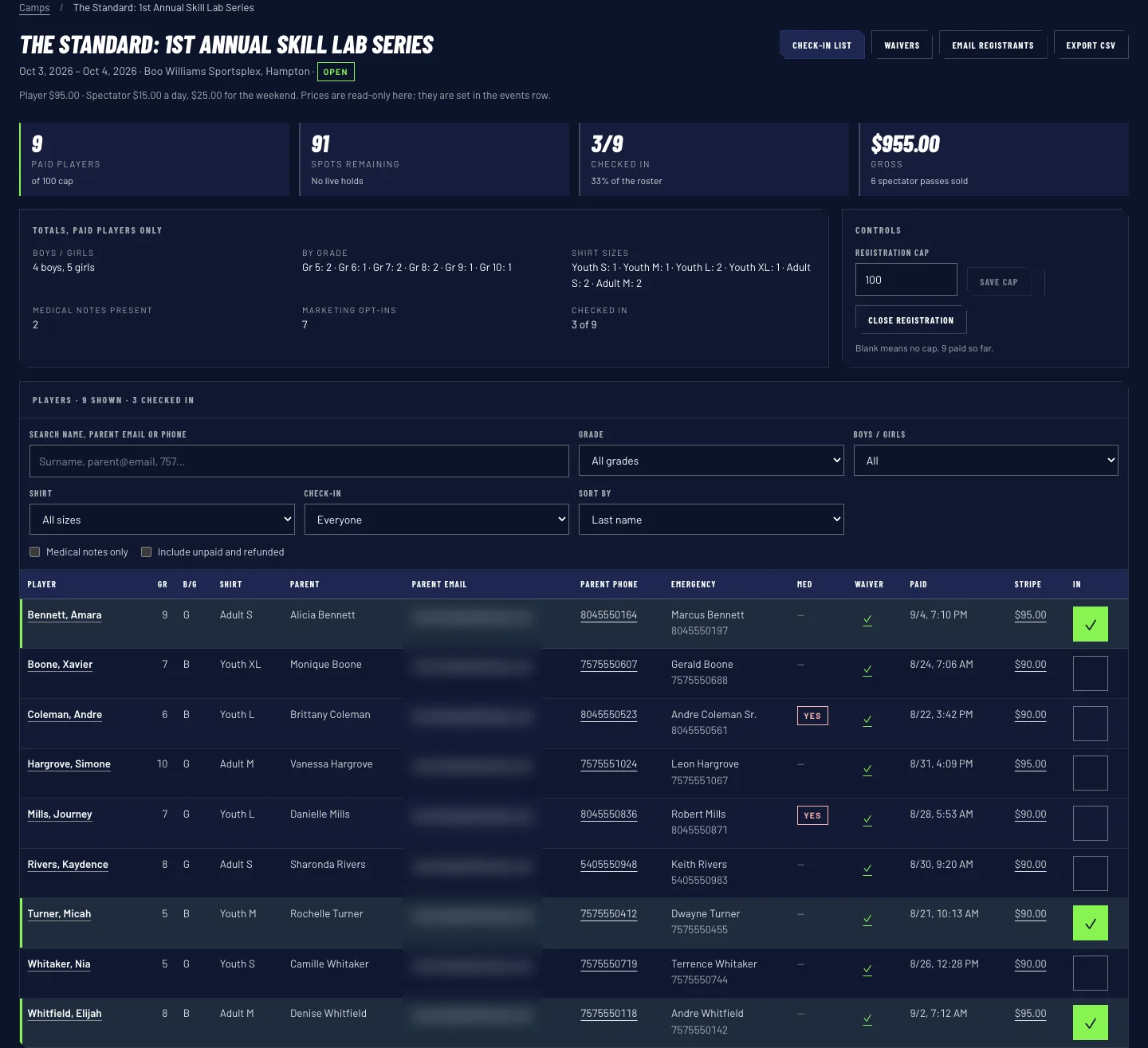
The roster screen: how many have paid against the limit, spots left, check-ins, and the totals underneath that used to be counted by hand.
Demo data from the September walkthrough, not real registrations.
A coach tapes up a code and gets the credit
Each coach gets their own web address, collinsenterprises.co/geno for Geno Williams, and a printable QR code, the square a parent points a phone camera at. Either one lands the parent on the normal homepage with the coach's discount already applied and the coach named on the page. If a family heard about the camp by word of mouth instead, there is a box on the form asking who sent them, and a name typed there counts ahead of any link. The credit lasts thirty days, so a parent who scans a code today and registers in two weeks still counts for that coach, and a mistyped address quietly sends the parent to the site at the normal price rather than a dead end.
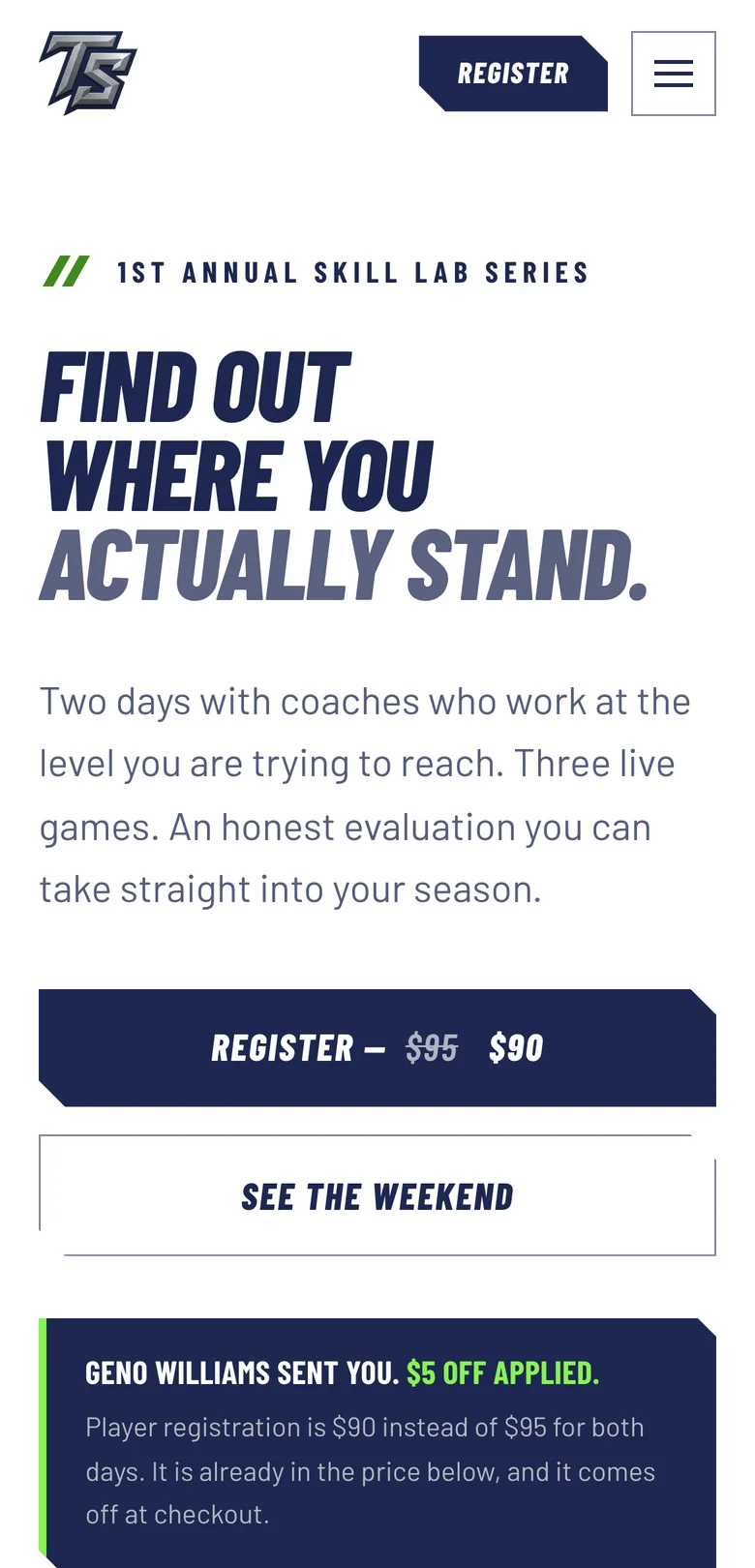
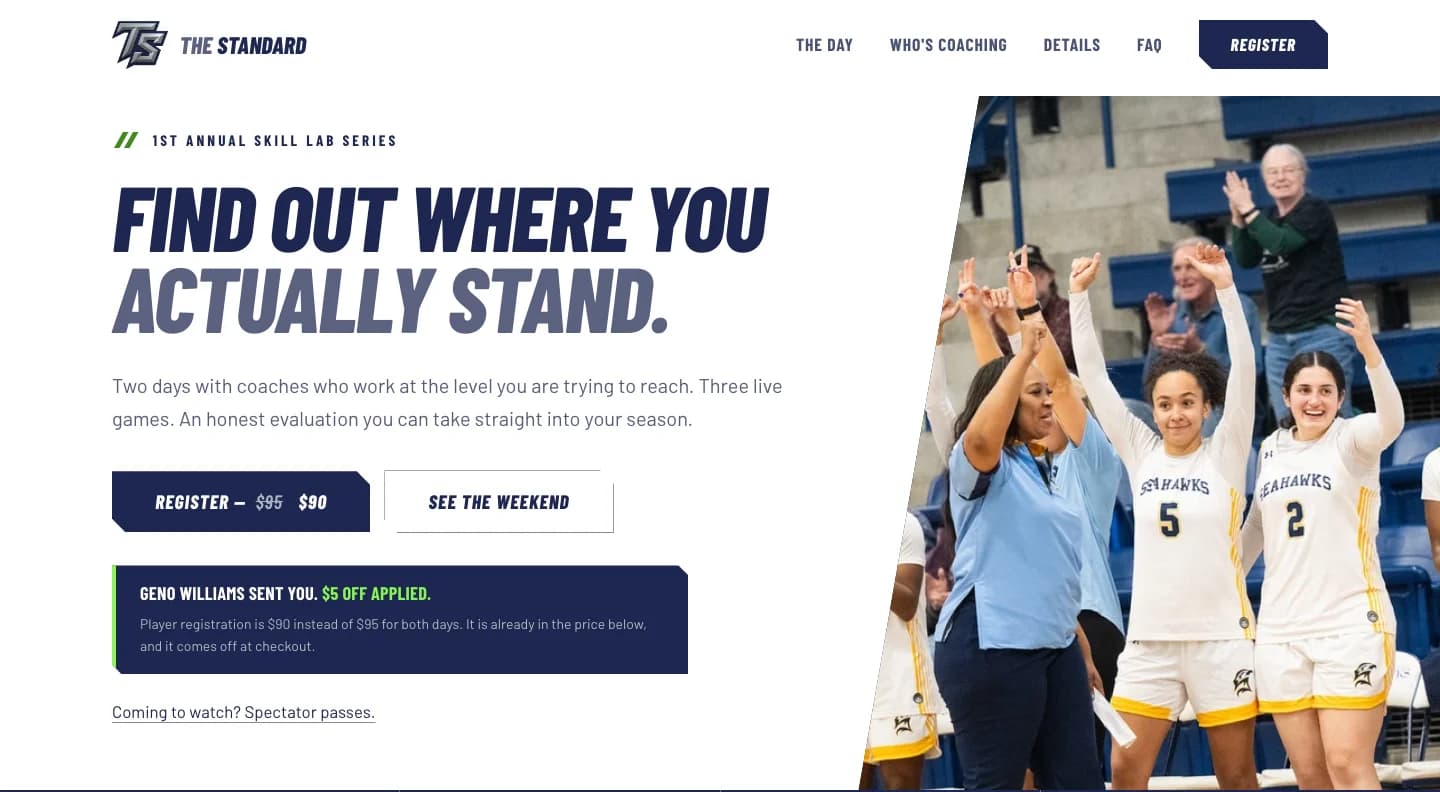
The homepage a coach's link opens, with the discount already applied and the coach named on the page.
Demo data from the September walkthrough, not real registrations.
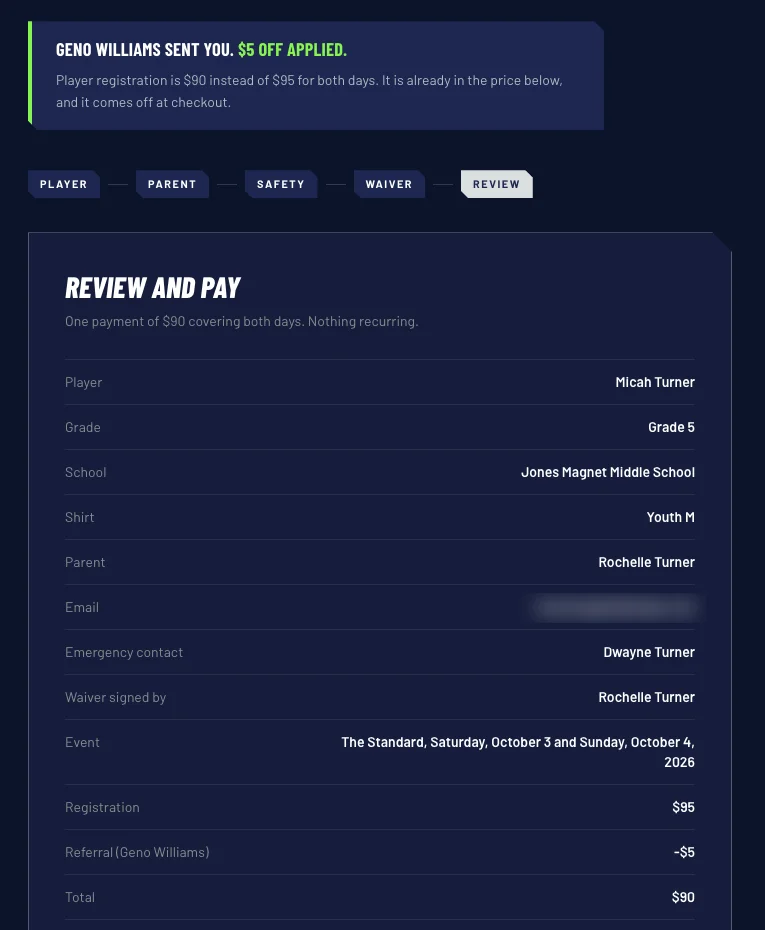
The checkout a parent reaches with the coach's discount already applied. Captured in September, before the camp moved to October 10 and 11.
Demo data from the September walkthrough, not real registrations.

The sheet a coach prints and tapes to a gym wall. This one is Geno Williams's real code: scan it and you land on the camp site with his $5 off already applied.
Captured from the live program portal, September 2026.

A door list without the medical notes
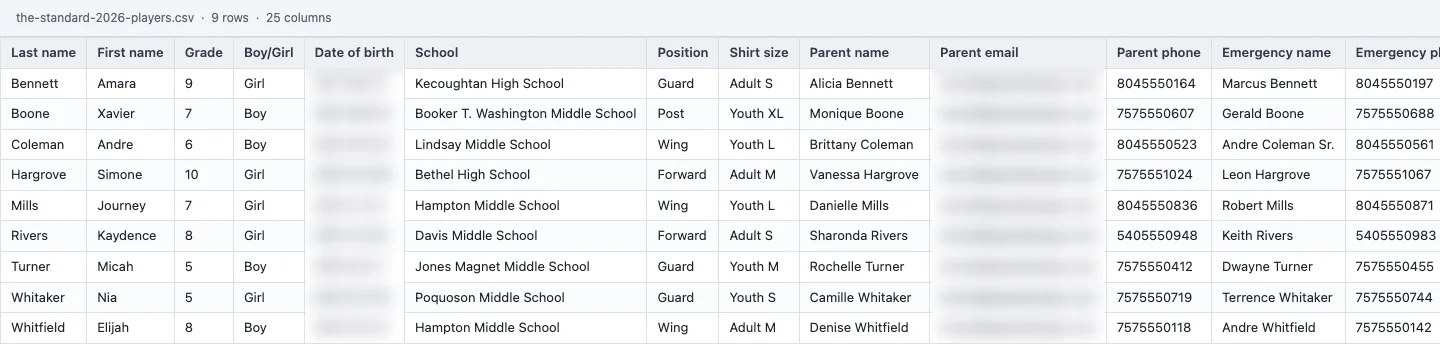
Each day of camp keeps its own list, so Sunday morning shows who came back. Tapping a name checks a player in, one tap undoes a mistake, and the sheet prints grouped by grade for the table at the door. Whoever works that table gets their own sign-in that opens the check-in list and nothing else. They see a name, a grade, a shirt size, two phone numbers and a star where there is a medical note, never the note itself.


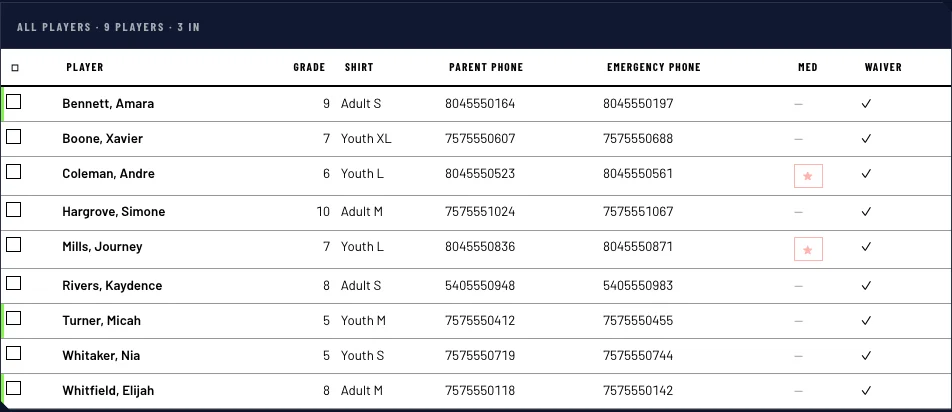
The sheet that prints for the table at the door: a star where there is a medical note, never the note.
Demo data from the September walkthrough, not real registrations.
One email to the whole roster
Opening-day instructions, a welcome the week before, a venue or time change on the morning: she writes it once and every paid family gets it as their own individual email, with nobody else's address showing. She can send herself a test copy first and see how many families it will reach. And because every camp keeps its roster, when the next one opens she can go back to the last camp and email every family who paid for it about the new one. Players, spectators and waivers download to a spreadsheet whenever she wants a copy outside the site.
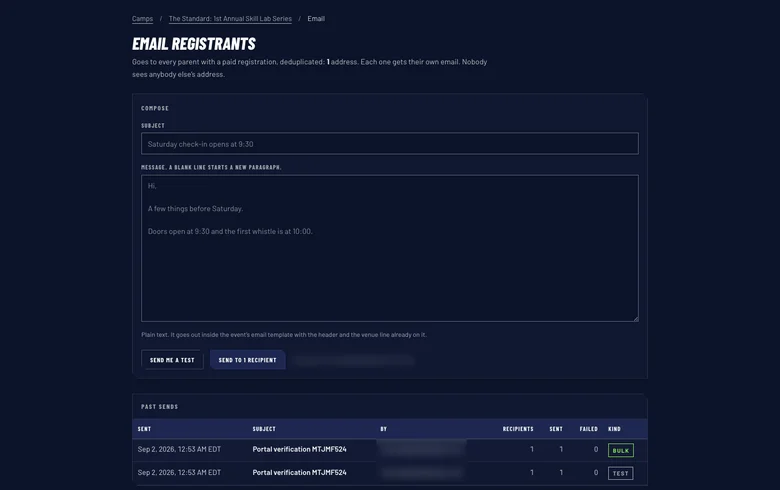
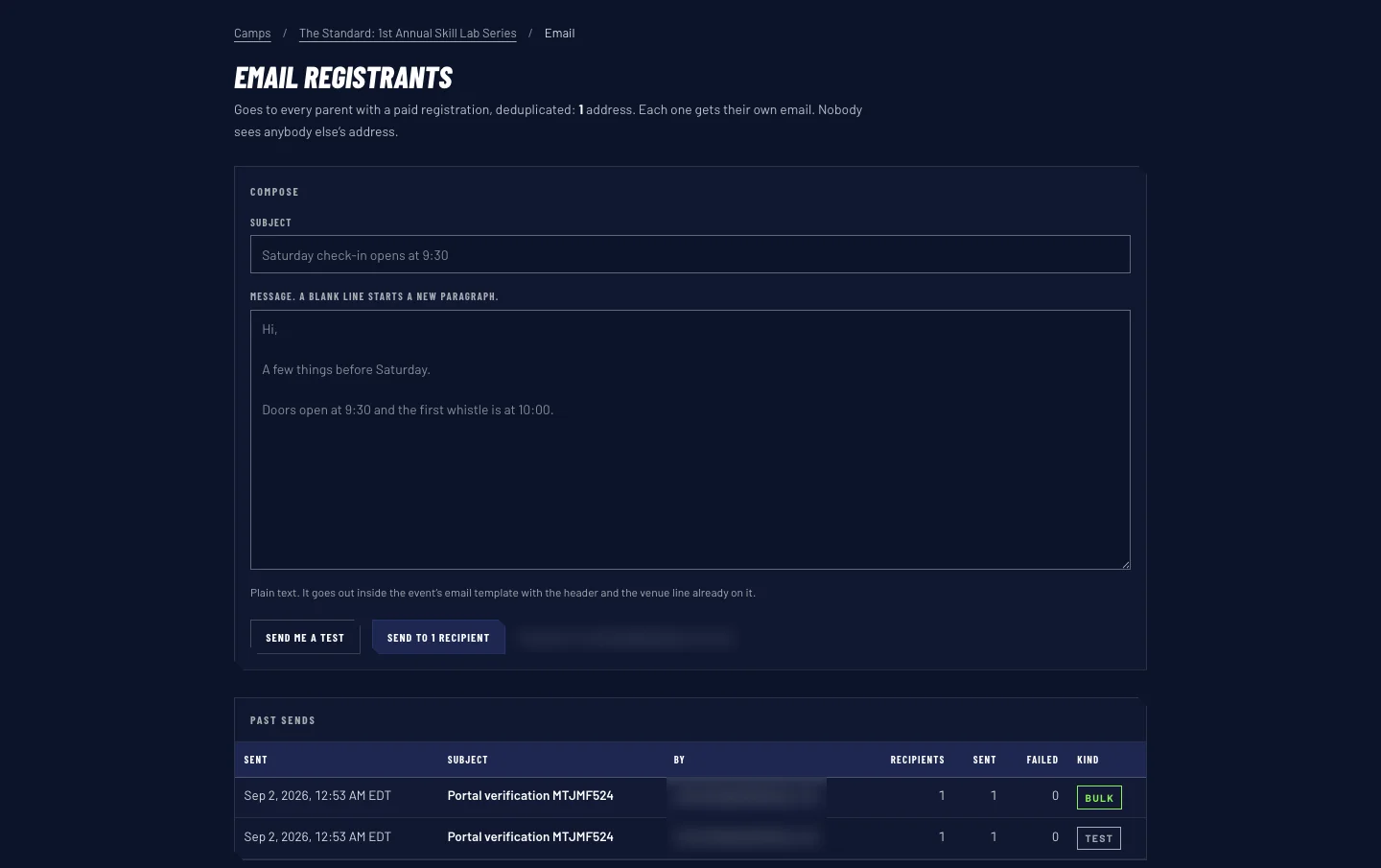
The message screen: write it once, send a test to yourself, see how many families it reaches, send.
Demo data from the September walkthrough, not real registrations.
Built for the series, not one Saturday
She calls this a series, so we built the records to hold more than one camp, not just this one. Each camp can carry its own coach discount terms. And the facts on the public pages, the dates, the prices, the venue, all come from one place, so when the camp moved from August to October we changed it once and the whole site updated. Today the public site sells this one camp, and the next one is a setup job rather than a rebuild.

The camps screen the portal opens on, one row per event.
Demo data from the September walkthrough, not real registrations.
Built like it holds other people's children's data. Because it does.
LaTanya will never see most of this, and neither will a parent. It still decides whether the same form that asks for a shirt size can be trusted with a birth date and an emergency contact.
Card numbers never touch the site
Payment happens on a page run by Stripe, so the website never handles a card number at all.
The price is set on our side
The amount is worked out on our side, never in the browser, so nobody can change what they pay.
Every signature keeps its own wording
Each waiver record stores the exact text it was signed against, so an old signature never quietly turns into today's version.
The door sees only what the door needs
The door sign-in shows a name, a grade, a shirt size, two phone numbers and a flag for a medical note, never the note itself.
Nobody gets in without an invitation
The records cannot be read without an account, and nobody can create an account for themselves. LaTanya invites every person who gets in.
The same email cannot go out twice
If the same update is sent twice by mistake, the second send is stopped rather than mailing every parent again.
An abandoned payment does not hold a spot forever
If a parent starts paying and closes the tab, their spot is held for a short while so they can come back and finish. If they do not, it goes back on sale.
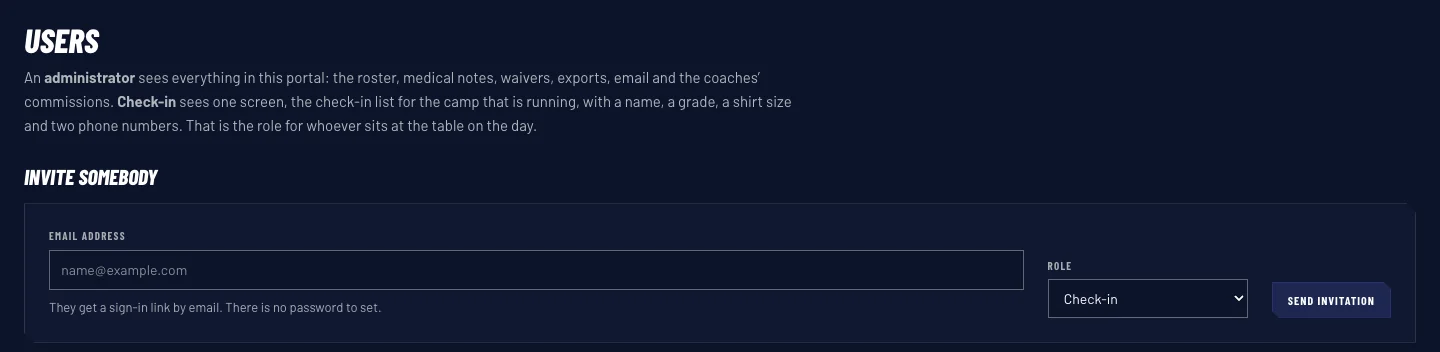
Who can get in, and what each role sees once they are in. Every account starts as an invitation.
Demo data from the September walkthrough, not real registrations.
Your website has a job. Here is how we find out what it is.
Get clear
We start with the job the site has to do. Who signs up, who pays, who needs a list in their hand on Saturday morning, and what you are doing by hand right now. No sales pitch, just a straight read on where you stand. If we are not the right fit for it, we will tell you.
Build the strategy
Then we design around that job: the pages that sell it, the form that feeds it, and custom software behind the form when a form on its own is not enough. You see the plan in plain English before anybody writes a line of code.
Execute to win
We build it and launch it, then stay in it. You get the walkthrough, your own access, and a partner who picks up the phone when the thing you built needs to change.
Every month your website only describes the business is a month you spend doing by hand what it could be doing for you.
More work worth a look
Six more sites we built for owners in trades, law, insurance and hiring, three of them below. Same question behind every one: what does this site have to do?
National Pools of Roanoke
A pool builder's site for Roanoke homeowners, built around project galleries so a buyer can see finished work before they call. Service details sit behind the photos.
View live siteJ&J Treewackers
A Roanoke tree service site that puts the company's certified arborist credentials in front of homeowners, then gives them one place to ask for a quote.
View live siteSouthern Colorado Garage Door
A garage door company's site for homeowners in Pueblo, Colorado, built for the person who needs to find the right company and reach it.
View live site